


Latest in Microsoft Teams | January Edition



.avif)

Take Advantage Of The Latest In Microsoft Teams
Each month, we pull out the changes that matter, so you can quickly see what’s new, what’s improved, and what will help your people work smarter.
Here’s a clear, bitesize round-up of what’s landing in Microsoft Teams this January.
Chat and Collaboration
Pop out core Teams areas into separate windows
If you like keeping multiple parts of Teams visible at once, this one is for you. You can now pop out key areas like Chat, Calls, Calendar, Activity and more into their own windows, so you can arrange your workspace exactly how you want.
Perfect for things like checking call history while replying to messages or keeping notifications open alongside your schedule. Just right-click an app icon (or use the app flyout) and open it in a new window.
• Why it matters: Makes multitasking easier by keeping essential Teams areas side by side.
.png)
Joining a private team by code now needs owner approval
Using a join code for a private team will now trigger an approval step from a team owner. It keeps code-based access simple, but adds a more sensible control point, so every new member is verified before they get in.
• Why it matters: Adds an extra layer of protection against unintended or unauthorised access.
Meetings, webinars, and town halls
Better Interpreter and multilingual meeting experiences
Teams can now automatically detect the spoken language and adjust Interpreter, live captions, and live transcription to match whenever Interpreter is enabled. That means fewer manual tweaks and more accurate outputs as the language changes during a meeting.
If Interpreter is turned off, captions and transcription still work, but auto-detection won’t apply. Participants will need to speak in the manually selected meeting language for the best results.
There’s also a new ‘preparing’ status so people can clearly see when Interpreter is loading and ready, plus clearer settings descriptions to make setup more straightforward.
Why it matters: Improves accuracy and clarity in multilingual meetings by keeping speech features aligned to what’s actually being spoken.
Teams Phone
Microsoft 365 Copilot Chat in the Calls app
After a Teams Phone call ends (desktop and mobile), you can open Microsoft 365 Copilot Chat in a side panel within the Calls app. It can summarise the call, surface key points, and suggest the next steps.
Because it can use Microsoft Graph and the web (not just the call transcript), the output should be more relevant and actionable for follow-up.
Why it matters: Turns call outcomes into clear next steps, faster.
.webp)
Compliance recording ISV support for call queues
Teams Phone now supports third-party compliance recording at the call queue level. Instead of configuring recording per person, it’s applied to the queue itself, so any call routed through it is automatically recorded using your chosen compliance solution.
This is particularly useful for bigger teams or environments where agents change regularly.
• Why it matters: Ensures queue-routed calls are recorded compliantly with one simple, easy-to-manage policy.
Fundamentals and Security
Tenant-owned domain impersonation protection in Teams messaging
Teams can now spot when an external sender’s domain appears to be impersonating one of your organisation’s domains. It checks sender identity and domain authenticity in real time, then flags suspicious messages before users engage.
A strong step forward for reducing domain spoofing and phishing risk inside Teams chat.
• Why it matters: Helps protect users by flagging suspicious external senders instantly.
Frontline Worker Solutions
Frontline hub
Frontline hub brings the tools to deploy, manage, and monitor frontline Teams experiences into one place, now available via the Manage frontline teams page in the Teams Admin Centre.
With dynamic, journey-based recommendations, it’s designed to help you deploy faster, simplify ongoing management, and keep frontline experiences more connected and consistent.
• Why it matters: Speeds up rollout and reduces admin overhead by centralising frontline management.
Need help navigating the latest enhancements to Teams?
The latest updates in Microsoft Teams bring a host of new features designed to enhance productivity, streamline communication, and provide a more personalised experience. With improvements in chat and collaboration, enhanced keyboard shortcuts, and advanced code block sharing, Teams continues to evolve as a powerful tool for seamless and efficient communication.
Ready to Get Started?
Let’s talk. There’s no pressure. Just a smarter way to understand your tech.
Email us on sales@flotek.io or book an audit online at www.flotek.io/contact
Get More from Microsoft 365
Ready to explore more about Microsoft 365? Explore more ways to unlock the full power of your suite:
How To Use Microsoft Teams For Knowledge Management





.jpg)







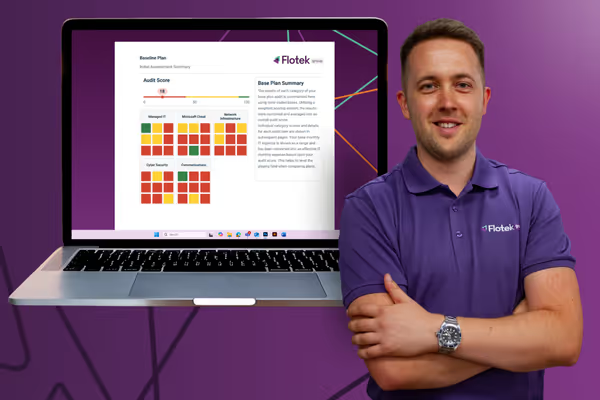
Schedule a Free IT Audit & Cost Breakdown


Want it fixed and kept that way? From just £14 a month, we verify your domain and monitor it 24/7, so your email lands and nobody else can send as you.









.avif)
.avif)
%20(1).avif)