






Microsoft Teams Updates | February Edition
.avif)


.avif)

Make the Most of the Latest in Microsoft Teams
Each month, we highlight the updates that really matter, giving you a quick view of what’s new, what’s improved, and what will help your teams work smarter.
Here’s a clear, bitesize summary of what’s coming to Microsoft Teams this February.
Microsoft Teams Rooms
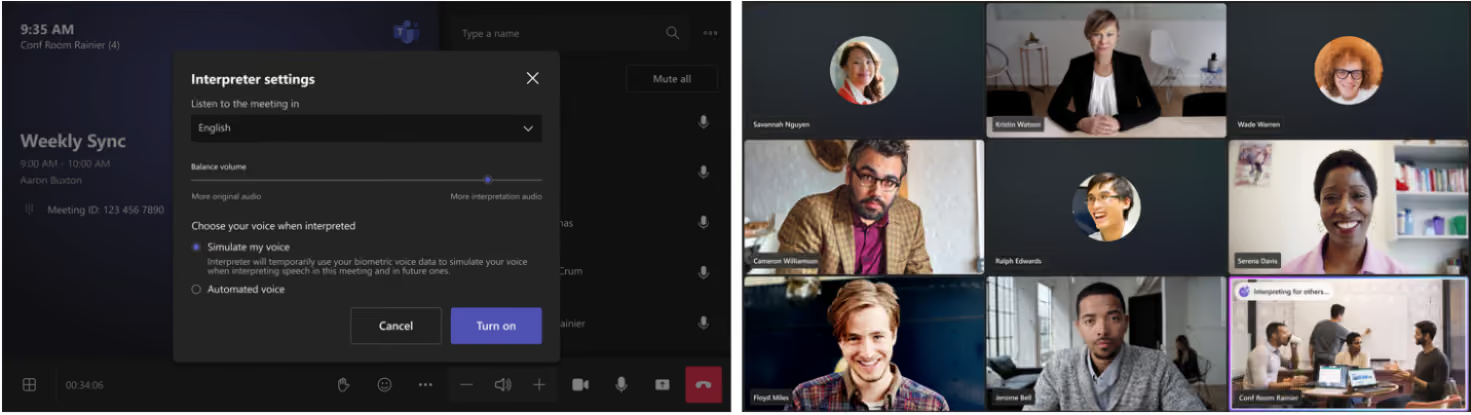
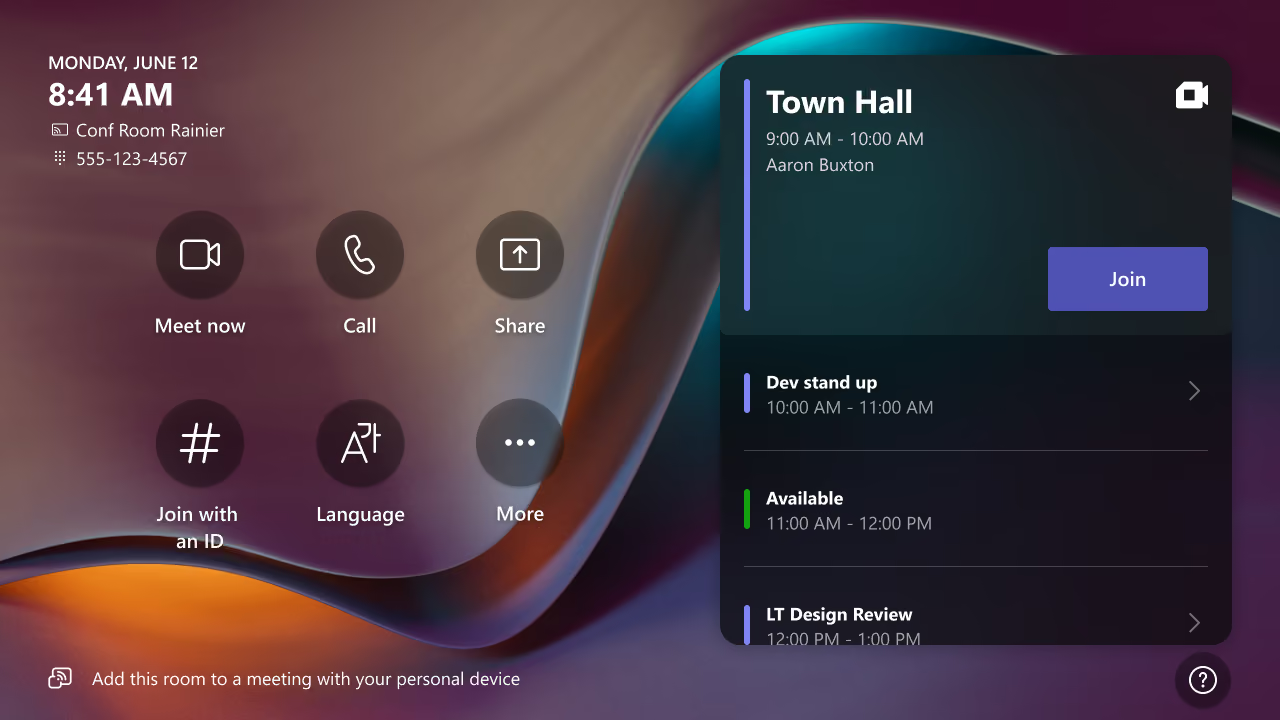
Interpreter agent support in Teams Rooms on Windows
If your organisation works across multiple countries or languages, this update will make meetings far smoother. The new Interpreter agent brings real‑time translation to scheduled meetings in Teams Rooms on Windows, letting participants listen in their preferred language without missing a beat.
Perfect for ensuring everyone stays aligned, no matter where they’re joining from or what language they speak. It keeps conversations natural while removing barriers to understanding and collaboration.
• Why it matters: Helps multilingual teams communicate clearly, participate fully, and stay productive. Available with Teams Rooms Pro.
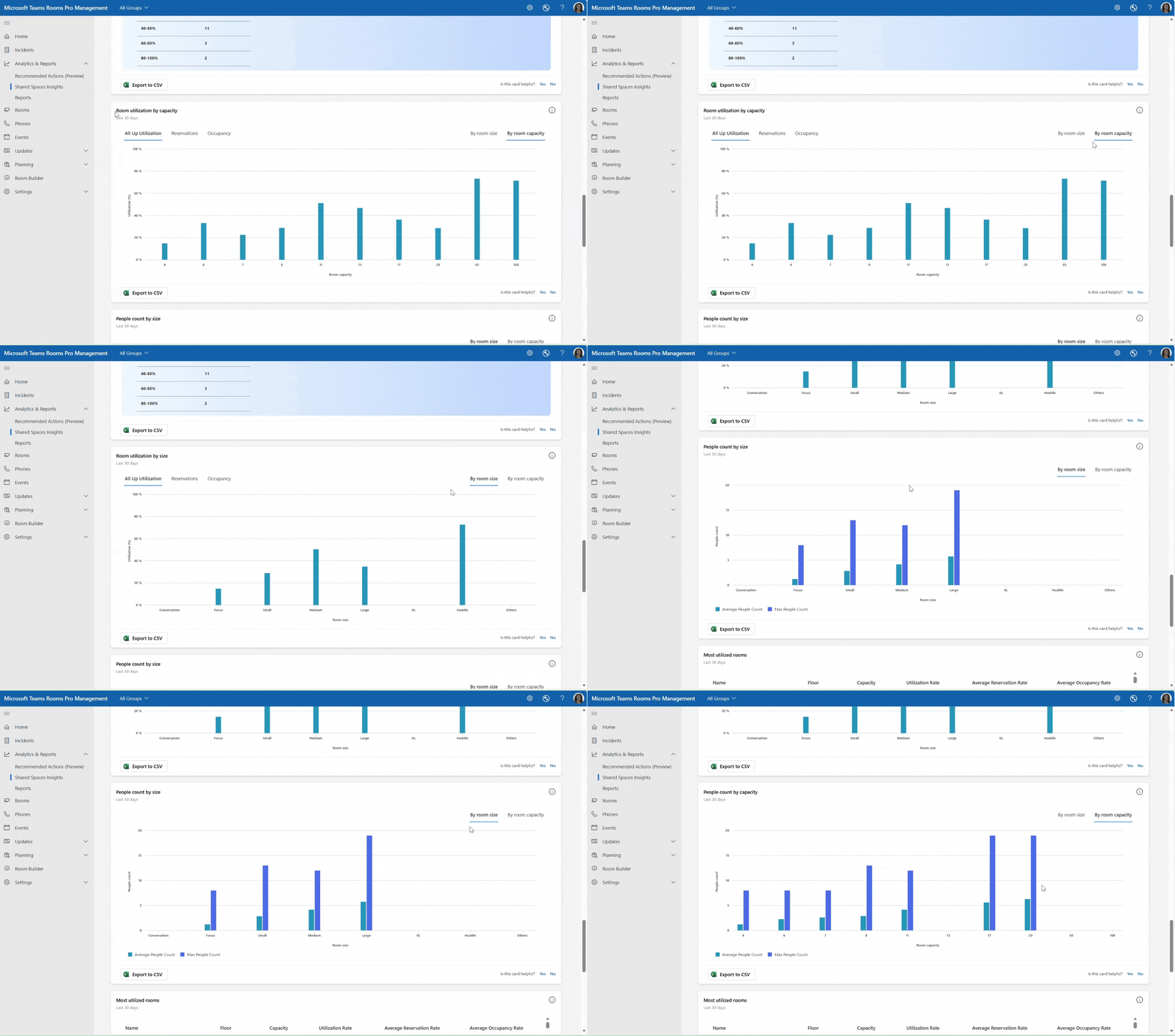
Teams Rooms utilisation by size and capacity in the Pro Management shared space insights report
If you’re looking to understand how your meeting spaces are actually being used, this update makes things much clearer. The Pro Management portal’s shared space insights page now includes enhanced analytics for Teams Rooms utilisation, giving you a deeper view of what’s happening across your meeting spaces.
Two new data tiles break down usage by factors like room size, capacity and people count, and you can filter the data by reservations, occupancy or both. It’s a much more accurate way to see which rooms are working hard, and which ones aren’t.
• Why it matters: Helps IT teams make smarter, data‑driven decisions about room planning, optimisation and investment.
Express voice enrollment [Available in March]
If you haven’t set up your voice profile yet, Microsoft is making it much easier. Express voice enrollment lets you register your voice in Teams quickly and naturally, right from within a meeting. No extra steps, just speak, opt in, and you’re done.
Once your voice profile is set up, you’ll get access to features like voice isolation, speaker recognition, clearer identification in meeting rooms, improved transcripts and more accurate meeting recaps powered by Microsoft 365 Copilot. Admins can switch this feature on or off for their organisation.
• Why it matters: Makes voice‑driven features easier to set up, improving clarity, accuracy and personalised meeting experiences across Teams.
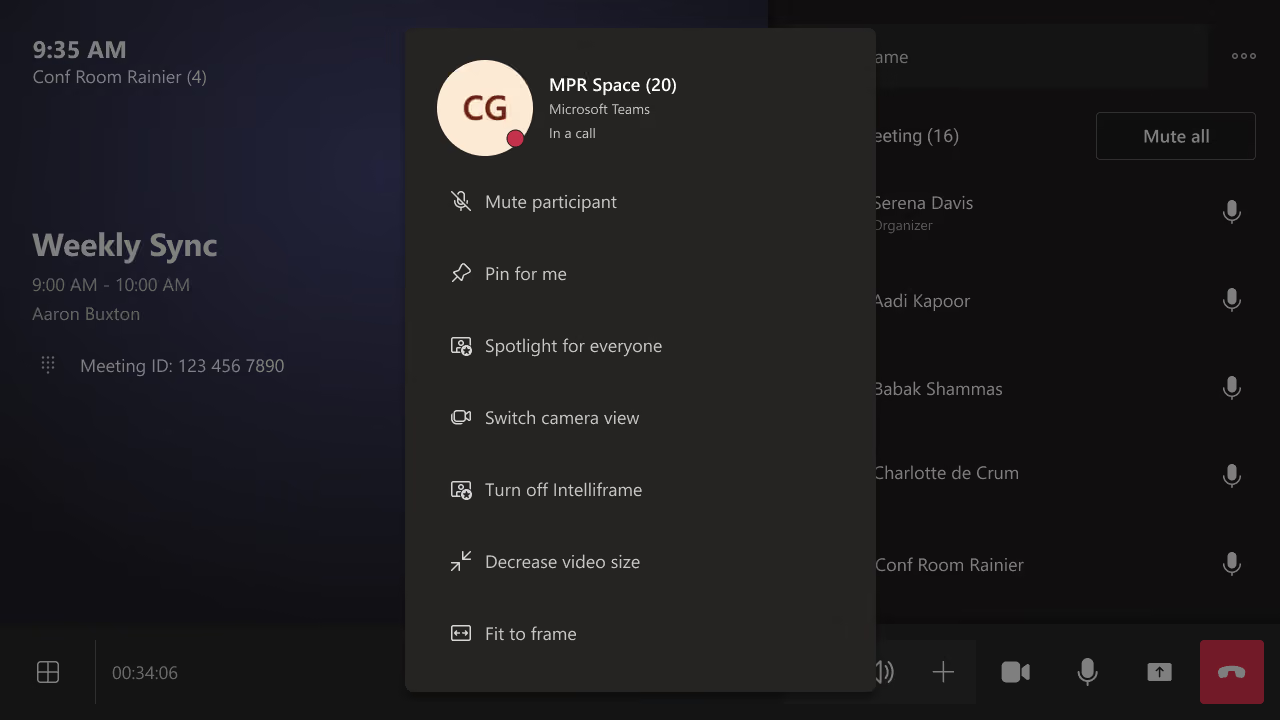
Camera view switching in multi-camera Teams Rooms on Windows
If you’re in a meeting with another Teams Room on Windows that’s using multiple cameras, you now have more control over what you see. You can switch between that room’s camera views directly from the participant panel on the console, or from the video tile on a touch board, helping you get the best angle for the conversation.
• Why it matters: Gives you more flexibility to optimise your view, making hybrid meetings feel more natural and easier to follow.
Two-way Direct Guest Join (DGJ) between Google Meet and Teams Rooms
If your organisation works across both Google Meet and Teams, this update makes collaboration much smoother. Meeting interoperability has been expanded with two‑way Direct Guest Join (DGJ) between Google Meet and Teams meetings. That means Teams Rooms on Windows devices can now join Google Meet meetings — and Google Meet devices can join Teams meetings — without any extra setup.
Users can join with a single click from the calendar or by entering a meeting ID, making it simple to connect no matter which platform the meeting is hosted on.
• Why it matters: Reduces friction for hybrid environments and makes cross‑platform meetings easier for everyone.
Microsoft Teams Phone enhancements
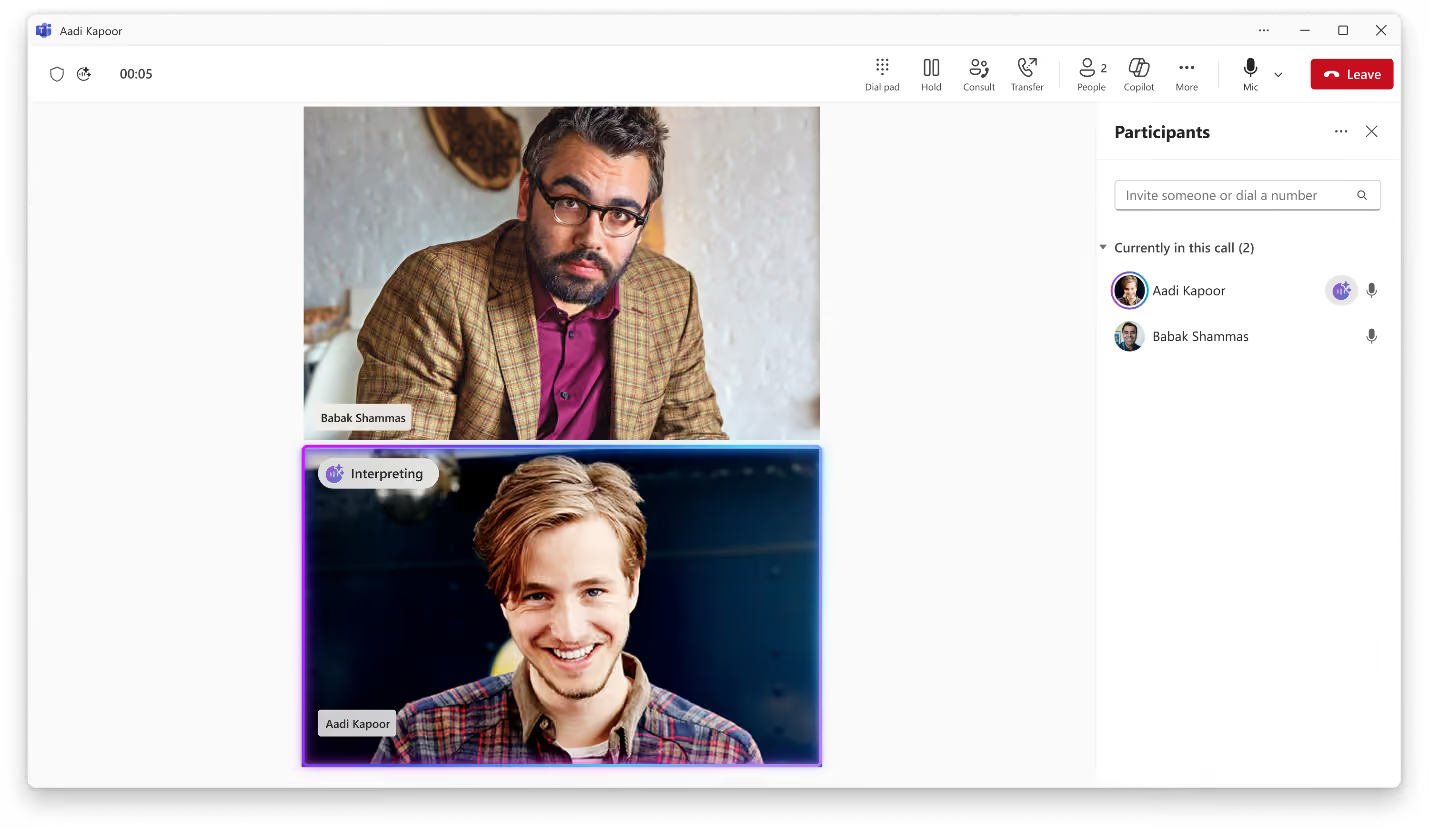
Interpreter in Teams Phone
If your teams work across multiple languages, this update will make phone calls much more seamless. Interpreter, previously available in Teams meetings, is now expanding to Teams Phone to support VoIP calls between Teams users. It provides real‑time speech‑to‑speech interpretation in up to nine languages, so everyone can speak and listen in the language they’re most comfortable with.
For an even more natural experience, users can choose to have Interpreter simulate their own voice during translation. At this stage, Interpreter is available for VoIP calls only.
• Why it matters: Helps global teams communicate clearly on everyday calls, removing language barriers and improving inclusivity across your organisation.
Queues app shared history of calls and voicemails
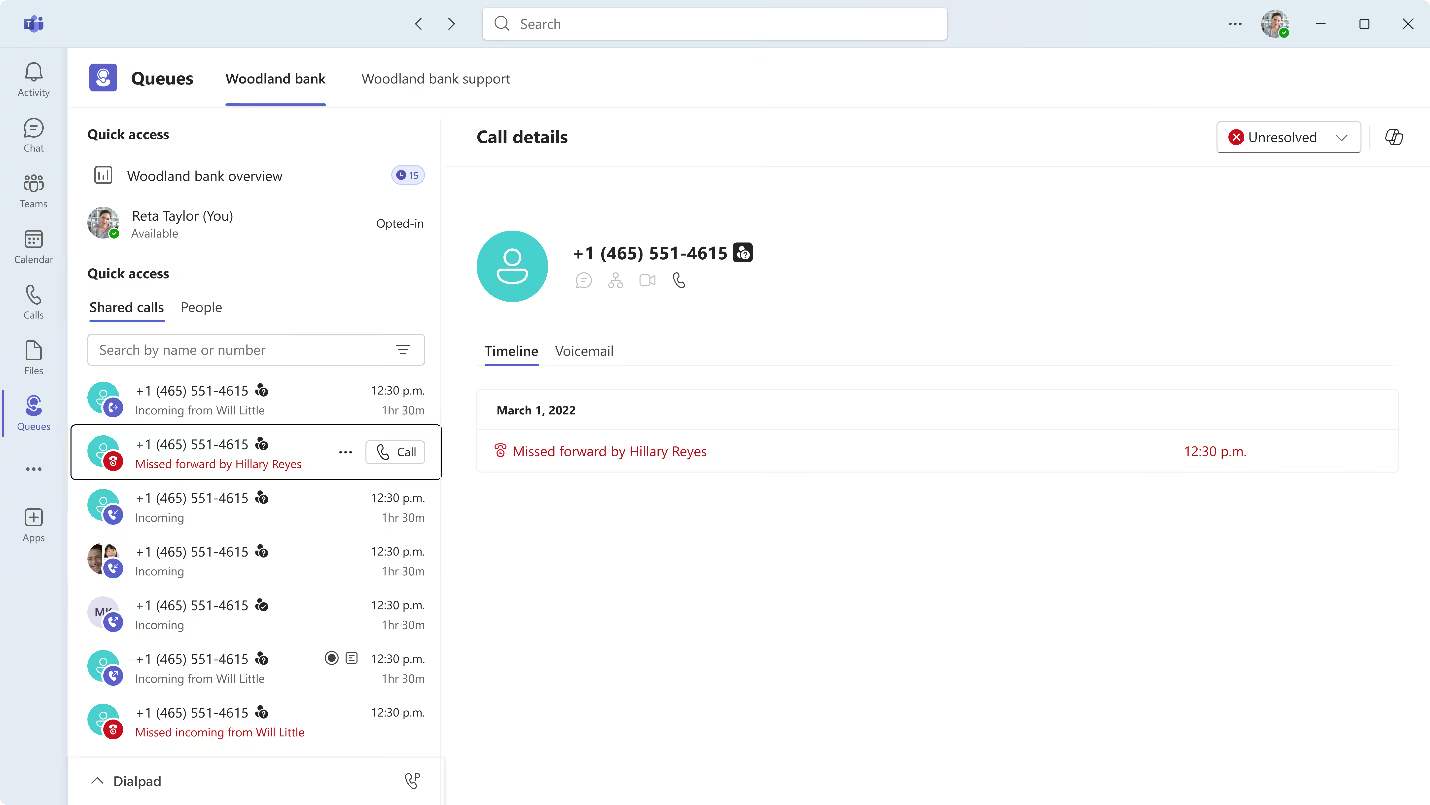
Keeping track of customer follow‑ups is much easier when service teams can see what’s happened outside their shifts or when representatives are unavailable. Now in Public Preview, the Queues app shared history gives teams a unified view of all missed, incoming, outgoing calls and voicemails within a call queue.
By consolidating call activity in one place, it boosts transparency and helps teams coordinate more effectively on customer interactions. It also reduces duplicated effort and makes sure no customer call slips through the cracks. Admins can configure shared history so that it’s available to all queue members or only to designated users.
• Why it matters: Improves team coordination, supports faster follow‑ups, and ensures customers get consistent, reliable service.
Teams events
If you’re running digital or hybrid events, this update brings everything together in a much more streamlined way. The new Teams events experience combines event discovery, creation and management into a single, central workflow, making the whole process easier from start to finish.
Organisers now have a flexible creation flow that supports a wide range of interaction, registration and branding options — without being restricted by event type. A new discovery view also helps users quickly find, track and revisit events they’re registered for or eligible to attend. And with redesigned management tools, organisers and delegates have one consistent place to update event details, review registrations, access reporting and coordinate behind the scenes.
Available in Public Preview, this new experience gives organisers greater control while making events more accessible and visible for attendees.
• Why it matters: Simplifies the event‑building process, improves collaboration for organisers and enhances the attendee experience with clearer discovery and access.
Communities in Teams
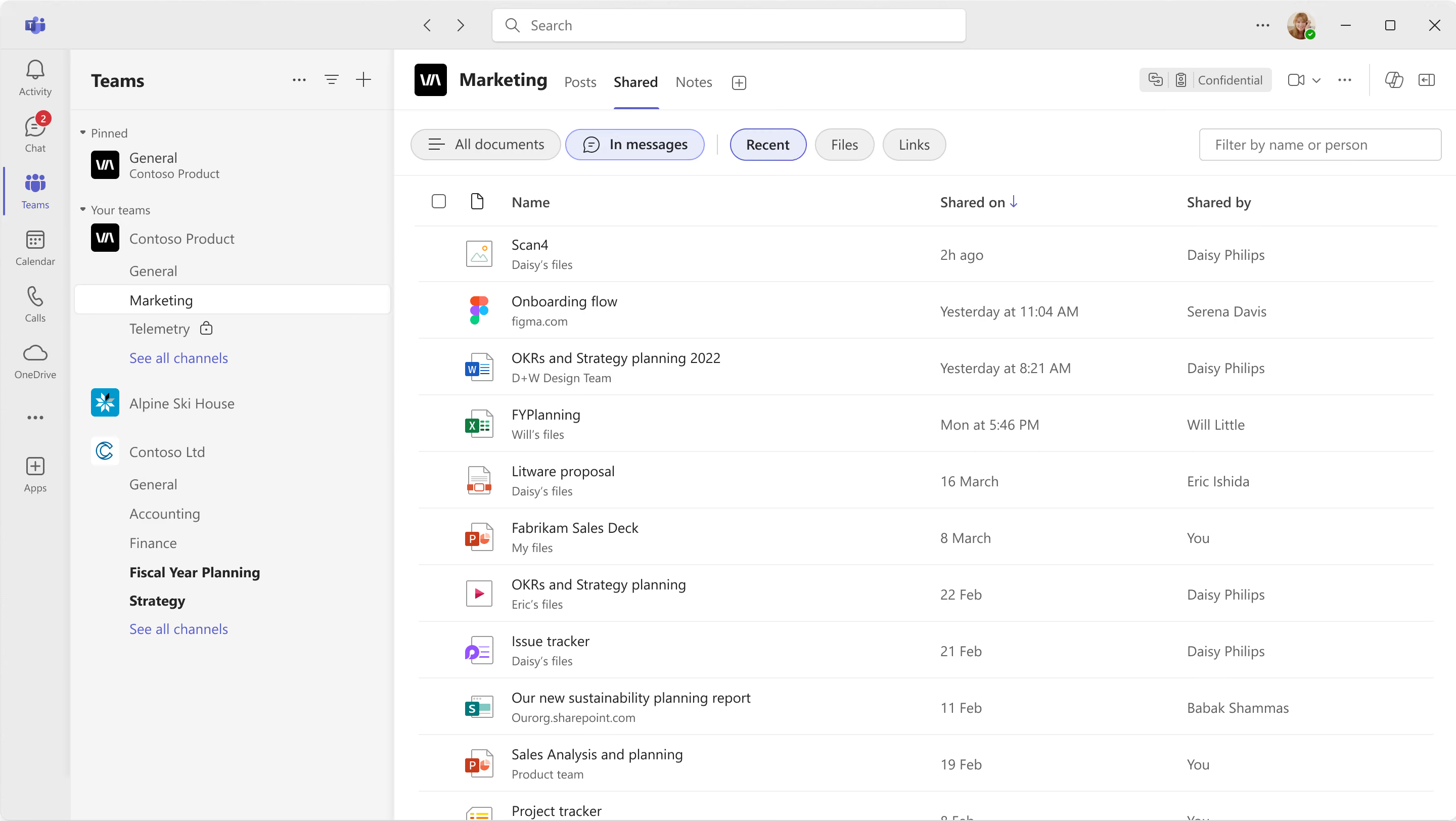
Teams channels Shared tab
If your organisation uses Viva Engage, this update brings everything closer together. Now rolling out to Public Preview, Communities in Teams sit right alongside your chats and channels, giving you a seamless place to browse community feeds, post updates and join discussions without switching apps.
Employees can find and manage all their Viva Engage communities directly within Teams, with full support for announcements, Q&A, long‑form posts and community‑specific events. It creates a more integrated experience for company‑wide communication, knowledge‑sharing and learning at scale.
Agents in communities are also available in Public Preview. These AI‑powered helpers draft suggested responses to unanswered questions by pulling from existing discussions and designated SharePoint sites. Community admins can review and publish those responses, helping employees get accurate information faster while building shared organisational knowledge.
• Why it matters: Brings organisational communities into the flow of work, boosts engagement, and helps surface reliable answers more quickly, all within Teams.
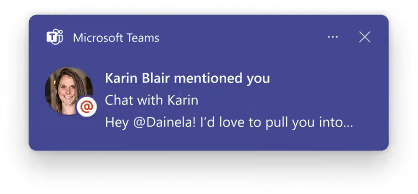
Message preview for channels, mentions, and reactions notifications
Staying on top of activity in Teams is getting easier. Microsoft Teams is expanding message previews to more types of notifications, including channels, mentions and reactions. This means you’ll now see a clearer snapshot of what’s happening, helping you judge the importance of a notification without breaking your flow.
• Why it matters: Lets users prioritise more effectively and stay focused by reducing unnecessary context‑switching.
Autocorrect in Teams compose
Keeping messages polished just got easier. Autocorrect in Teams now helps tidy up common spelling mistakes as you type in the compose box, so your messages stay clear and professional without any extra effort. No need to stop and edit — Teams keeps everything flowing smoothly in the background.
• Why it matters: Saves time, reduces errors and keeps conversations professional with less manual correction.
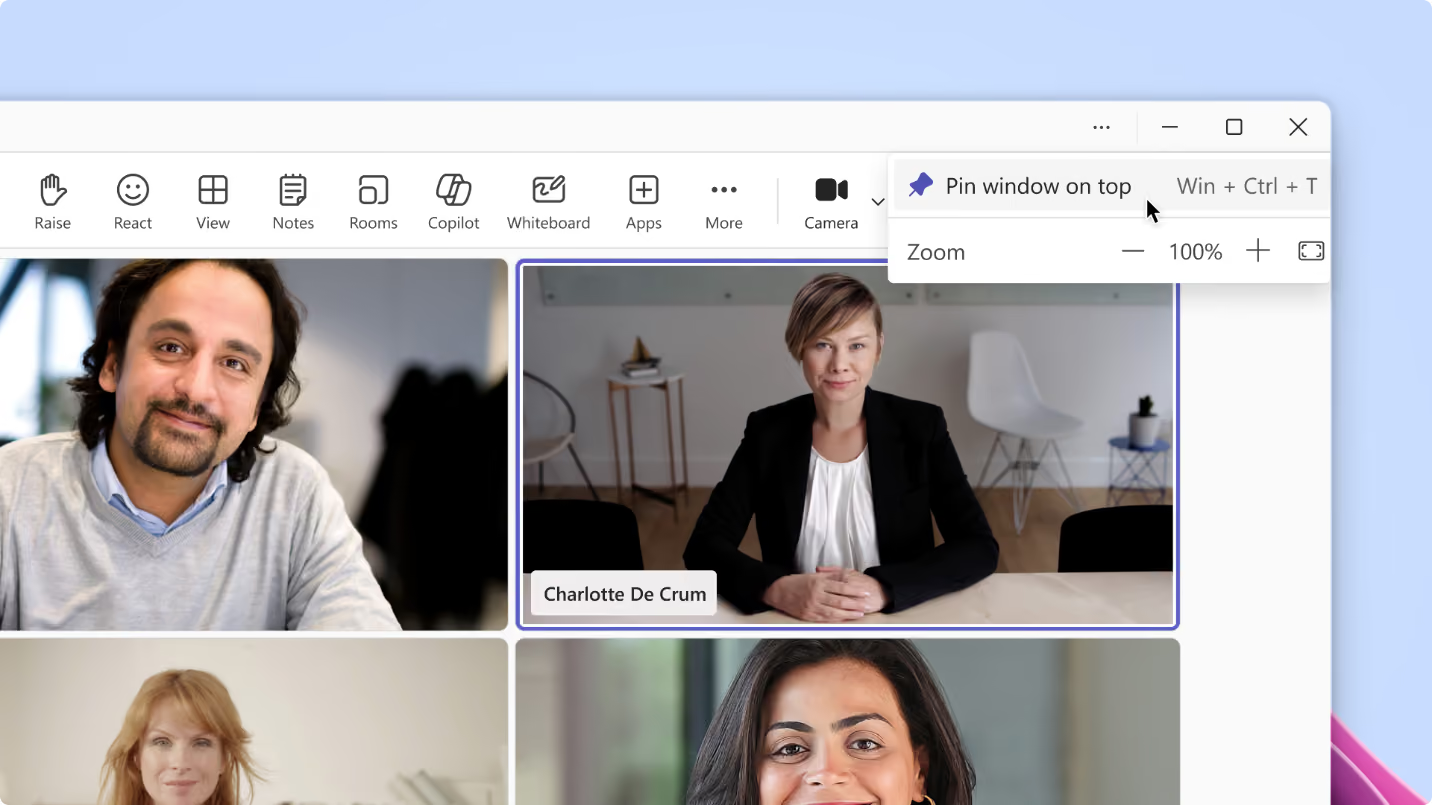
Pin Teams window on top
Multitasking in Teams is getting smoother. You can now pin a window on top, keeping it visible above all your other apps. Whether you’re tracking shared content, watching reactions or keeping an eye on a discussion, the window stays put — even as you switch between tasks.
• Why it matters: Reduces friction when working across multiple apps and helps you stay connected to real‑time cues and conversations without losing focus.
Teams Phone
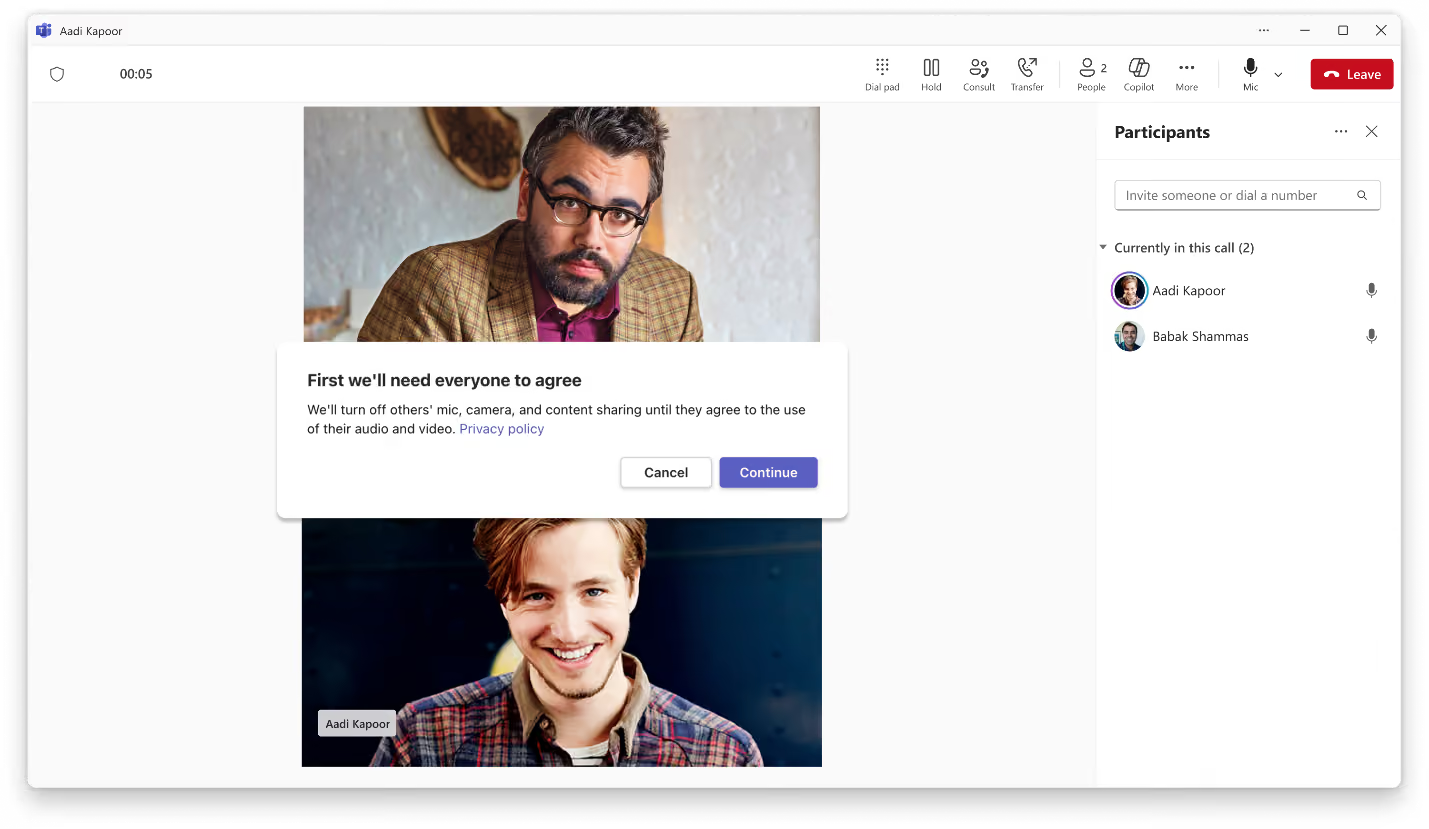
Explicit consent for 1:1 call transcription and recording
Microsoft Teams is extending its existing explicit‑consent experience to now cover 1:1 VoIP calls between Teams users. With a new Teams calling policy, admins can require participants to give consent before a call is recorded or transcribed. If a user starts recording or transcription, the other participant is automatically muted — with video and content sharing paused — until they provide consent.
This is particularly useful in regulated scenarios, such as a financial adviser capturing call notes, where organisations must obtain clear approval before recording. For now, explicit consent applies to 1:1 VoIP calls only.
• Why it matters: Supports compliance needs by ensuring clear, auditable consent before recording or transcribing sensitive one‑to‑one calls.
Workplace: Teams Rooms
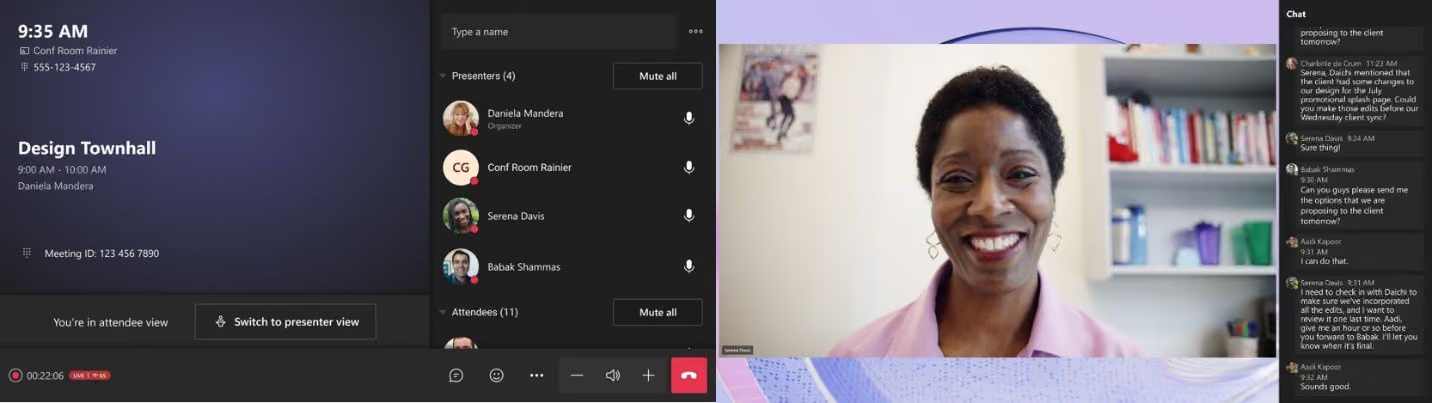
If you’re hosting large‑scale events, this update gives you much more control over the production experience. The enhanced ‘Manage what attendees see’ feature for Town halls in Teams Rooms on Android lets organisers, co‑organisers and presenters with a Pro licence view a polished version of the event while choosing exactly which participants appear on or off screen.
For even more customisation, organisers with a Teams Premium licence can adjust layouts, backgrounds and name tags directly from the Teams desktop app, helping create a more branded and professional event experience.
• Why it matters: Gives event hosts greater control over visuals and presentation, helping deliver higher‑quality, more engaging Town halls from a Teams Room.
Front-of-room view control for Town Hall in Teams Rooms on Android
Presenting from a Teams Room on Android is now more flexible. When a Teams Room is invited as a presenter, the front‑of‑room display will automatically default to the standard attendee view. Meanwhile, presenters still have full control from the console — including access to the green room, off‑stage management and other presenter tools.
They can switch the front‑of‑room display to presenter view at any time without affecting what attendees see. This feature is available with Teams Rooms Pro.
• Why it matters: Gives presenters more behind‑the‑scenes control while keeping the attendee experience polished and uninterrupted.
Ready to Get Started?
Let’s talk. There’s no pressure—just a smarter way to understand your tech.
Email us on sales@flotek.io or book an audit online at www.flotek.io/contact
Get More from Microsoft 365
Ready to explore more about Microsoft 365? Explore more ways to unlock the full power of your suite:
How To Use Microsoft Teams For Knowledge Management





.jpg)







Schedule a Free IT Audit & Cost Breakdown

Download ‘Your First 60 Days with Microsoft Copilot’ Guide

%20amended%20logo.avif)








.avif)
.avif)
%20(1).avif)
.avif)