






Microsoft Teams Updates | December 2024 Edition
.png)


.avif)

Microsoft Teams Update | December 2024
Microsoft continues to evolve Teams with features designed to make collaboration easier and more productive. Here’s a breakdown of the key updates for December 2024 and what they mean for your business.
1. New Chat and Channels Experience
The biggest change this month is the unified Chat and Channels experience. Microsoft has combined chats and channels into a single view, replacing the separate tabs that existed before.
What’s changed:
• Chats and channels now appear together in one list.
• You can pin your most important conversations to the top.
• Filters let you sort by unread, mentions, or specific channels.
• Channel posts now behave more like chat threads.
Why it matters: Less switching between tabs means faster access to the conversations that matter. It’s particularly useful for teams managing multiple channels alongside direct chats.
Watch our video overview below:
2. Copilot in Teams – Now More Useful
Microsoft Copilot in Teams has received several updates that make it more practical for everyday use.
Key improvements:
• Meeting recap summaries are now more detailed, including key decisions, action items, and follow-ups.
• Copilot in chat can now summarise longer conversation threads, helping you catch up quickly.
• Copilot suggestions appear contextually during meetings, offering relevant information from your Microsoft 365 data.
Why it matters: If your team uses Teams for meetings regularly, Copilot’s improved recap and chat summarisation features can save significant time. No more scrolling through long threads to find what you missed.
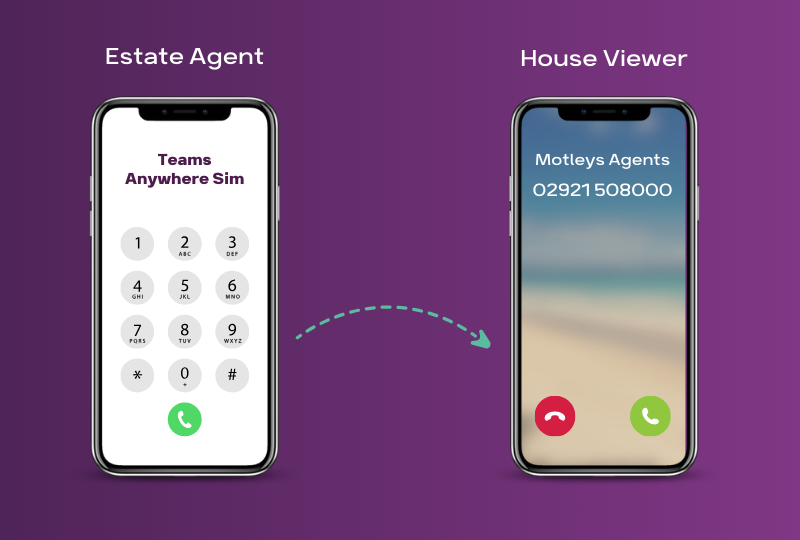
3. Teams Phone Updates
Microsoft has made several improvements to Teams Phone, the cloud-based calling solution within Teams.
What’s new:
• Queues app – A new native app for managing call queues directly within Teams. Team leads can monitor queues, opt members in/out, and view real-time statistics without leaving Teams.
• Voicemail transcription improvements – More accurate transcriptions with better handling of accents and industry-specific terminology.
• Call quality dashboard – Admins can now access more detailed call quality data to troubleshoot issues faster.
Why it matters: For businesses using Teams as their phone system, the Queues app is a significant upgrade. It brings call centre-like functionality into Teams without needing third-party tools.
4. Mesh Avatars in Meetings
Microsoft Mesh avatars are now generally available in Teams meetings. These 3D avatars allow participants to represent themselves in meetings without turning on their camera.
What you can do:
• Customise your avatar’s appearance, clothing, and expressions.
• Use hand gestures and reactions that your avatar mirrors in real time.
• Switch between avatar and camera during a meeting.
Why it matters: Useful for meetings where participants are experiencing “camera fatigue” or when bandwidth is limited. It maintains a sense of presence without requiring video.
5. Town Hall and Webinar Improvements
Teams’ large-scale meeting tools have also been updated.
Town Hall updates:
• Increased capacity – Town halls can now support up to 20,000 attendees with Teams Premium.
• Real-time translated captions – Available in more languages.
• Green room improvements – Organisers have more control over presenter preparation.
Webinar updates:
• Improved registration pages with more branding options.
• Better post-event analytics for tracking attendance and engagement.
Why it matters: If your business runs internal town halls or external webinars, these improvements make the experience more professional and easier to manage.
6. Security and Compliance Updates
Microsoft continues to strengthen Teams’ security features.
Notable changes:
• End-to-end encryption for group calls – Previously only available for 1:1 calls, E2EE now extends to group calls for organisations that need it.
• Sensitivity labels in channels – Apply Microsoft Purview sensitivity labels to channels to control data sharing and access.
• Improved DLP (Data Loss Prevention) – Better detection and blocking of sensitive content shared in Teams messages and files.
Why it matters: For regulated industries or businesses handling sensitive data, these security upgrades help ensure compliance without adding friction to daily workflows.
7. Collaborative Notes – Now on Mobile
Collaborative Notes, which allow meeting participants to co-create agendas, notes, and action items, are now available on Teams mobile.
• Create and edit notes before, during, and after meetings.
• Assigned tasks sync automatically with Microsoft To Do and Planner.
• Notes are a Loop component, so they stay in sync across all locations.
Why it matters: Mobile users can now participate fully in collaborative note-taking, which is useful for teams with field workers or remote staff who primarily use their phones.
8. Teams Rooms Updates
For businesses using Microsoft Teams Rooms hardware:
• IntelliFrame improvements – Better individual framing of meeting room participants.
• Front Row layout updates – More refined design for the gallery view in meeting rooms.
• USB peripheral support – Expanded support for USB-connected devices like secondary displays and content cameras.
Why it matters: These updates improve the hybrid meeting experience, making it easier for remote and in-room participants to collaborate on equal footing.
What Should You Do?
Most of these updates will roll out automatically. However, some features (like Copilot and Teams Premium capabilities) may require specific licences. If you’re not sure whether your organisation has access to these features, or if you need help configuring them, our team can help.
Ready to make the most of these updates? Get in touch with Flotek and we’ll help you stay up to date.
Further reading: Best Practices For Teams Meetings | Teams Tips For Beginners
Discover how Flotek can help with our managed IT support. Get in touch today.





.jpg)







Schedule a Free IT Audit & Cost Breakdown

Download ‘Your First 60 Days with Microsoft Copilot’ Guide
%20amended%20logo.png)





.avif)
.avif)
%20(1).avif)
.avif)