






%20(42).avif)
Microsoft Teams Updates | April Edition
.avif)


.avif)

Make the Most of the Latest in Microsoft Teams This Spring
Each month, we highlight the updates that really matter, giving you a quick view of what's new, what's improved, and what will help your teams work smarter.
Here's a clear, bitesize summary of what's coming to Microsoft Teams this April. If you're exploring the wider Microsoft 365 toolset, you might also want to read our Copilot webinar recording or our Introduction to Microsoft Copilot.
Chat and Collaboration
View and manage activity across all your accounts and organisations
If your organisation works with multiple external partners or tenants, staying on top of activity just got a lot easier. The new multi tenant, multi-account experience brings notifications from all your organisations into a single feed, so you'll never miss a chat or mention. You can respond without switching accounts and even pin key accounts to your sidebar for quicker access.
• Why it matters: Removes the friction of managing multiple accounts, keeping cross organisation collaboration seamless and centralised.
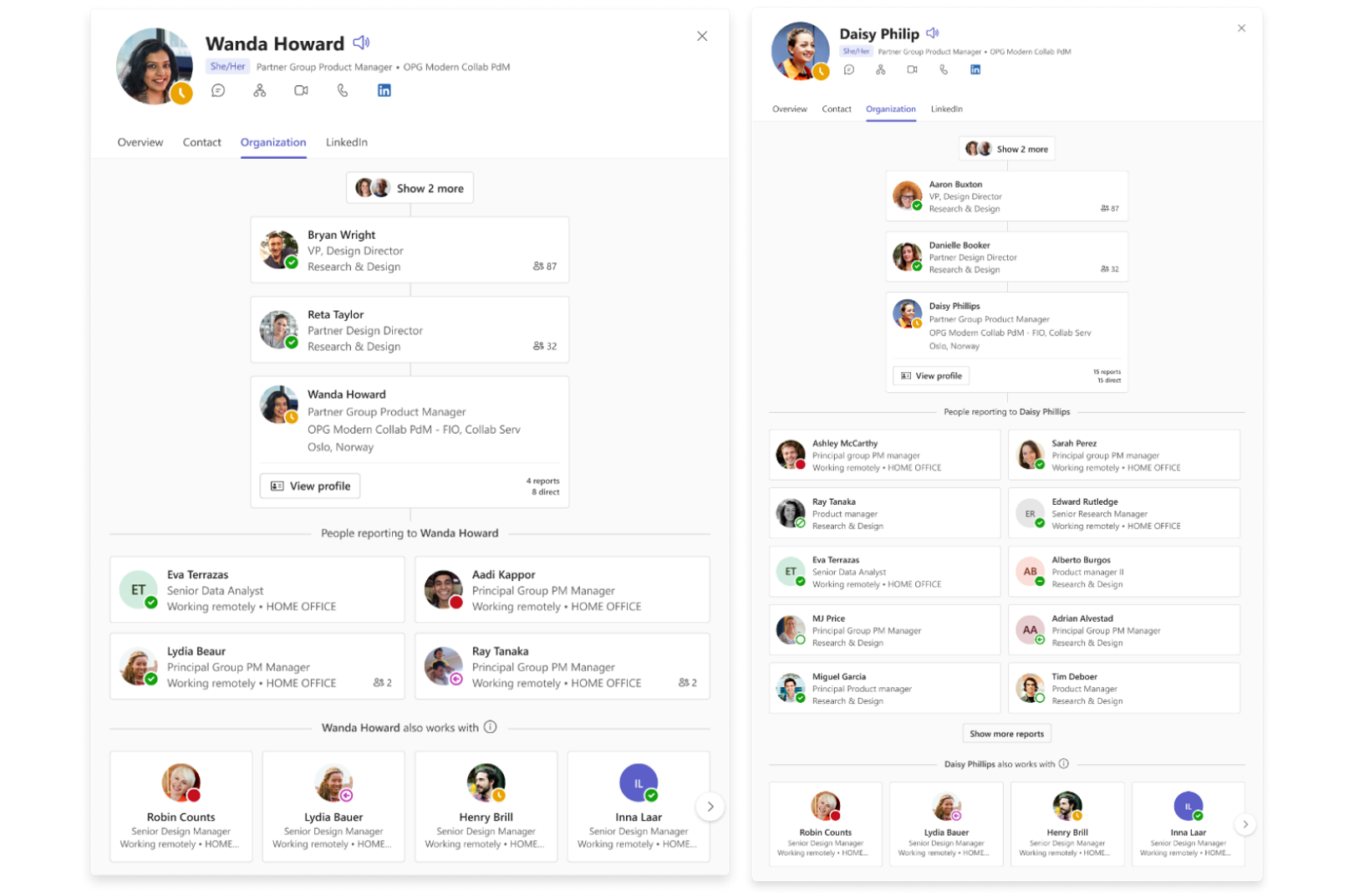
Enhanced organisation chart in profile cards
Understanding how a colleague fits into the wider business is now much simpler. The enhanced organisation chart built into profile cards lets you navigate reporting relationships, check team size at a glance, and get instant organisational context, all without leaving the conversation.
• Why it matters: Saves time and helps teams understand structure and reporting lines without digging through directories.
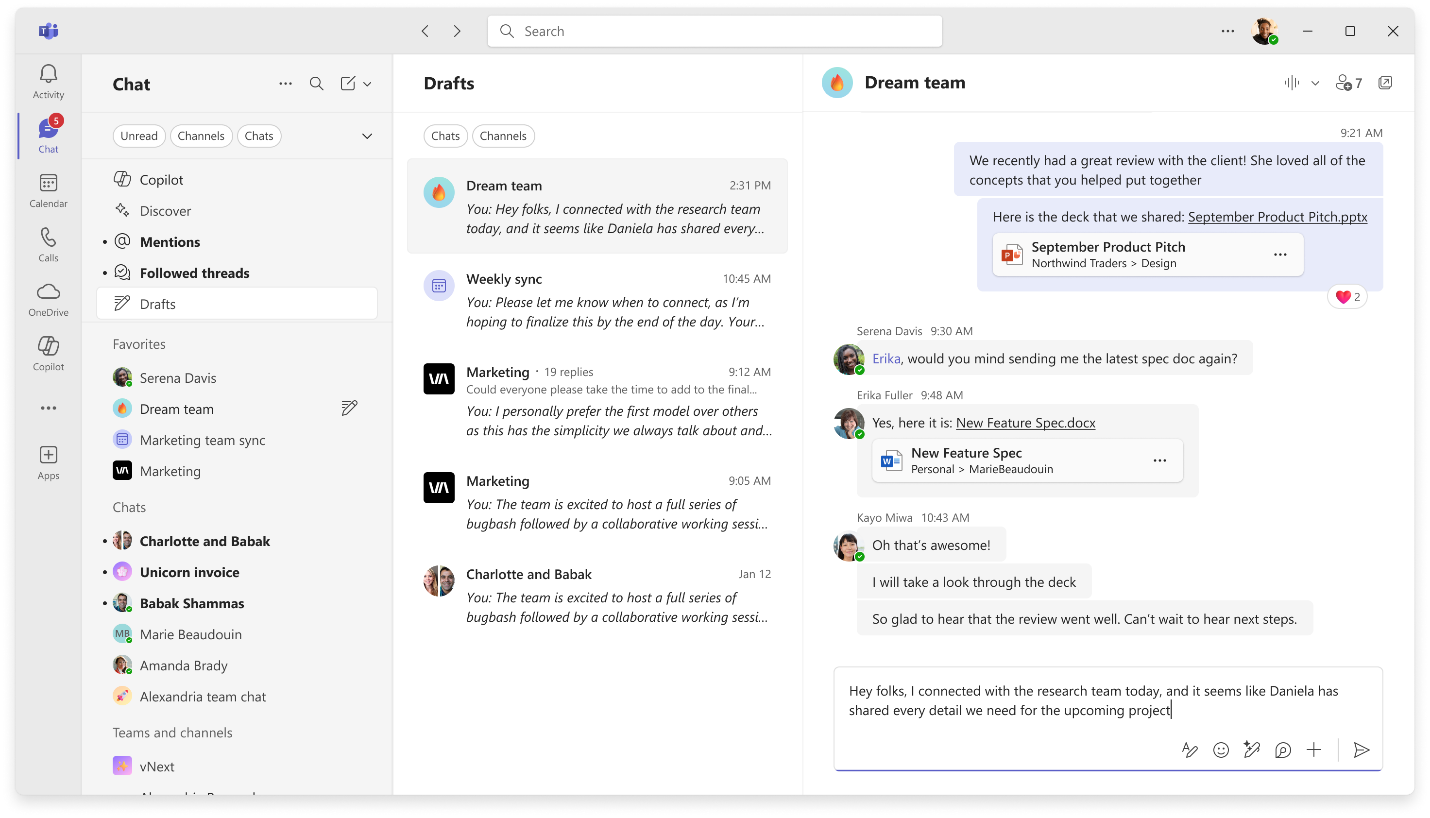
Easily find unsent drafts
Ever started a message and lost track of it? The new Drafts quick view collects all your in progress messages from chats and channels in one place, making it easy to pick up where you left off and send when you're ready.
• Why it matters: Stops half finished messages from falling through the cracks and keeps your communication flowing.
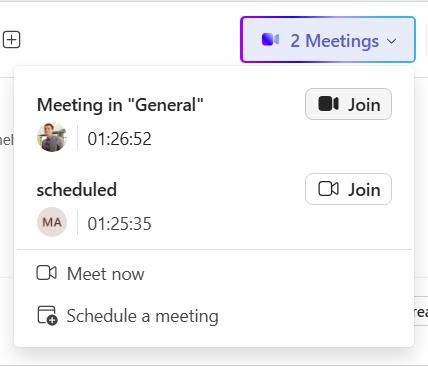
Live meeting indicator for threaded channels
Threaded channels now show a live meeting indicator when a meeting is active, making it much easier to spot and join conversations as they happen. No more guessing whether something's in progress, just click and join.
• Why it matters: Increases real time participation and helps channel members stay connected to live discussions.
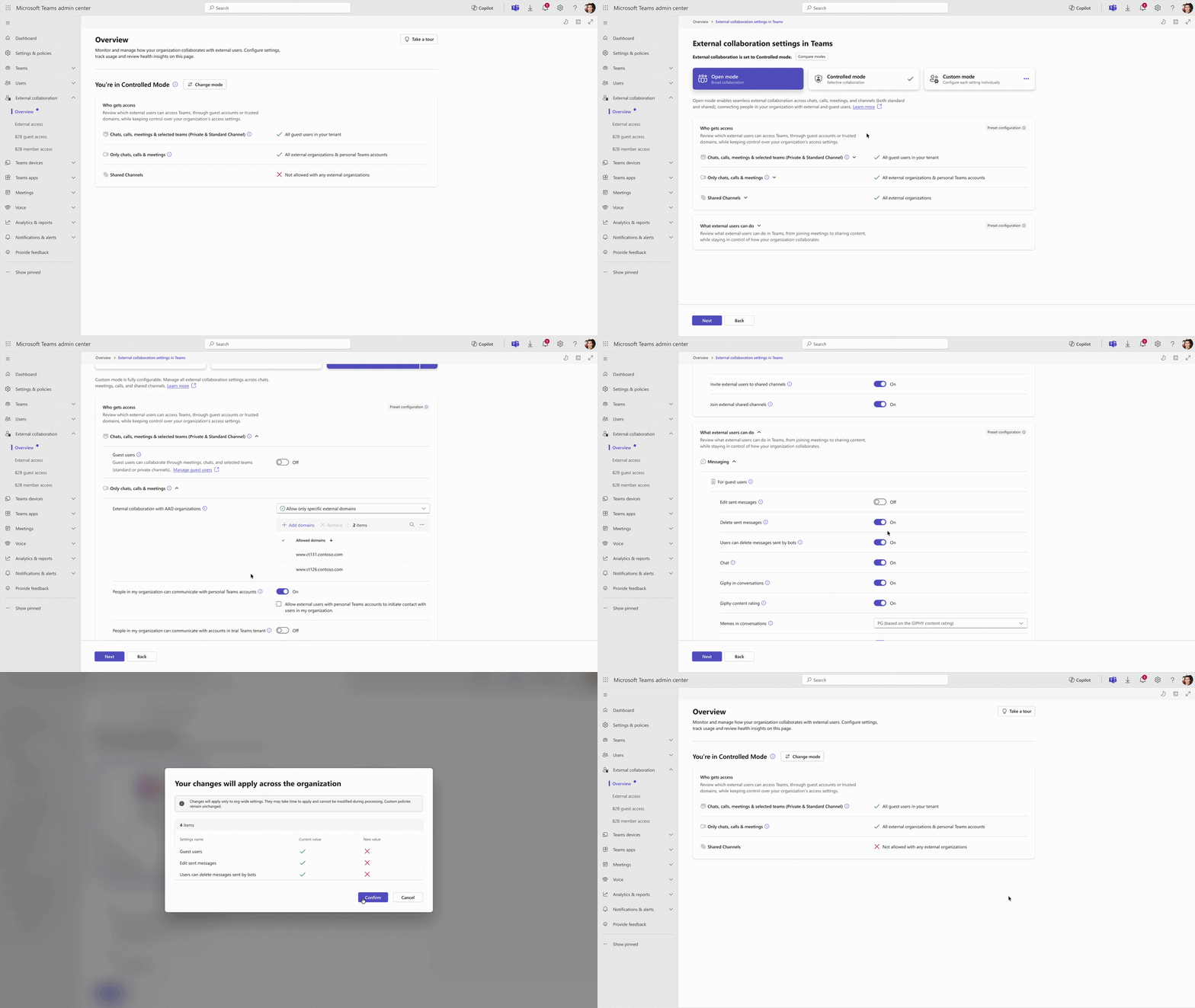
Simplified controls for managing external collaboration
Admins now have a cleaner way to manage external collaboration settings. A new overview page in the Teams admin centre lets you review and adjust settings using a guided flow, with preset modes (Open or Controlled) or fully custom options.
• Why it matters: Makes it simpler for IT teams to set and maintain the right boundaries for external collaboration across the organisation.
Improved image viewer in Teams
The updated image viewer lets you scroll through all images shared in a conversation, regardless of when they were posted, without leaving your current view. A new header option also lets you jump straight back to the original message where an image was shared.
• Why it matters: Keeps you focused on visuals without the distraction of hunting through message history.

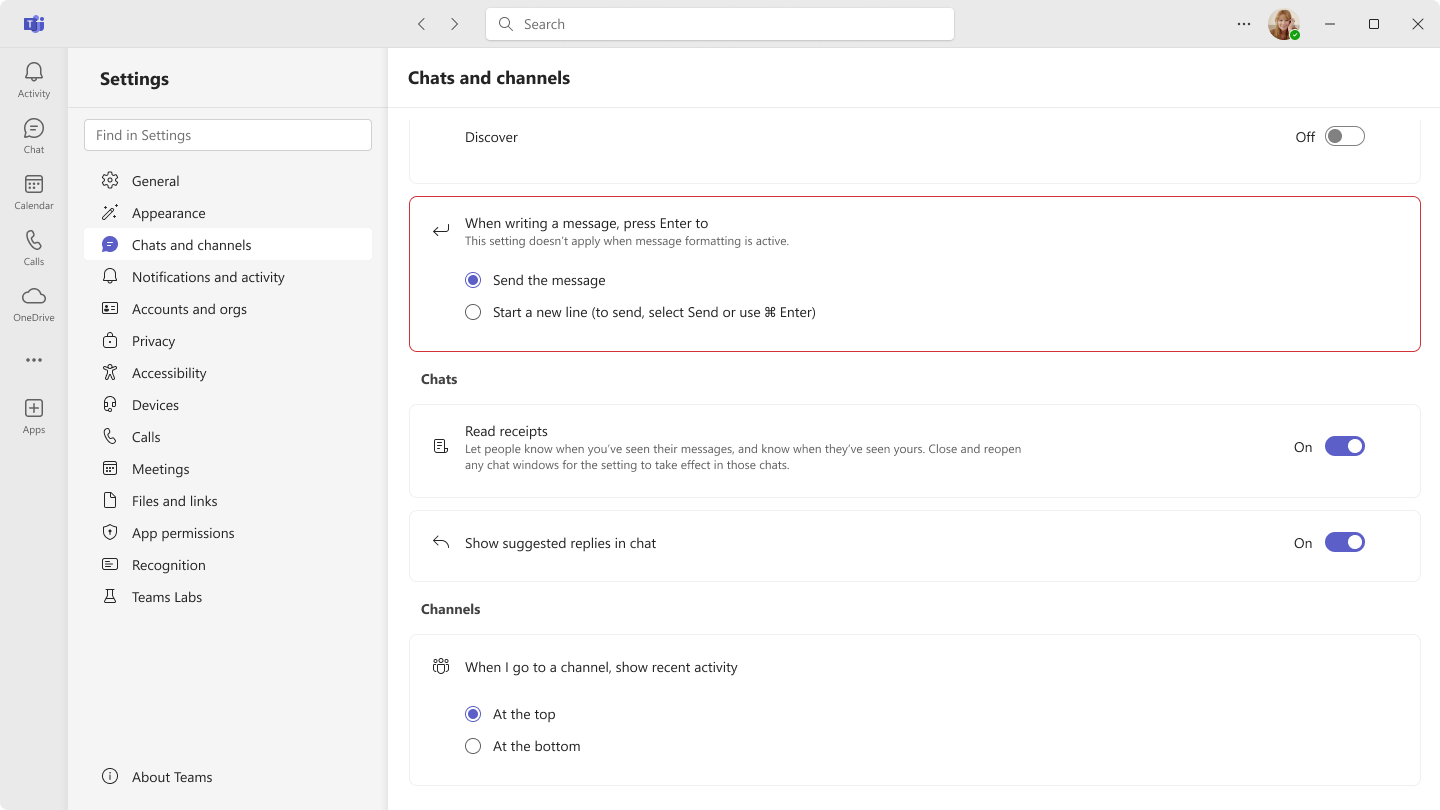
Control how the Enter key works in Teams chat
You can now choose whether pressing Enter sends your message or starts a new line, a small change that makes a big difference when composing longer messages or detailed updates.
• Why it matters: Prevents accidental sends and gives users more control over how they compose messages.
New keyboard shortcut to mark all messages as read
A new shortcut (SHIFT + ESC) lets you mark all chats and channel messages as read in one go, clearing your activity feed quickly so you can get back to focused work.
• Why it matters: Reduces notification noise and helps users manage their attention more effectively.
Teams actions in Spotlight on Mac
Mac users can now access Teams actions directly from Spotlight, set your presence status, open your calendar, start a new message, or create a meeting, all without opening the Teams app.
• Why it matters: Saves time for Mac users by surfacing the most common Teams actions right where they already work.
Share files and Loop components in external chats
Teams now makes it easier to collaborate with people outside your organisation by letting you share files and Loop components in external chats. Permissions are managed automatically, so everyone can view, edit, and contribute without any manual configuration (admin setup required).
• Why it matters: Streamlines cross-organisation teamwork by removing the usual permissions headaches when sharing content externally.
Meetings
Annotations on a single shared window
Sharing a specific application window in a meeting now supports annotations for everyone in the call without needing to expose your full desktop. Whether it's a training session, client presentation, or design review, participants can mark up content directly and collaboratively. Works across Windows, macOS, and mobile.
• Why it matters: Keeps meetings focused and secure, while giving everyone the tools to engage with shared content in real time.
Audio recap; expanded language support
Audio recap, which lets you listen to an AI-generated summary of a meeting rather than reading through notes, is now available in seven additional languages. You can now generate and listen to summaries in Chinese, English (multiple variations), French, German, Italian, Japanese, Portuguese, and Spanish.
• Why it matters: Makes it easier for global teams to catch up on meetings in the language that works best for them, ideal for commuting, multitasking, or those who prefer to listen.
Teams Phone
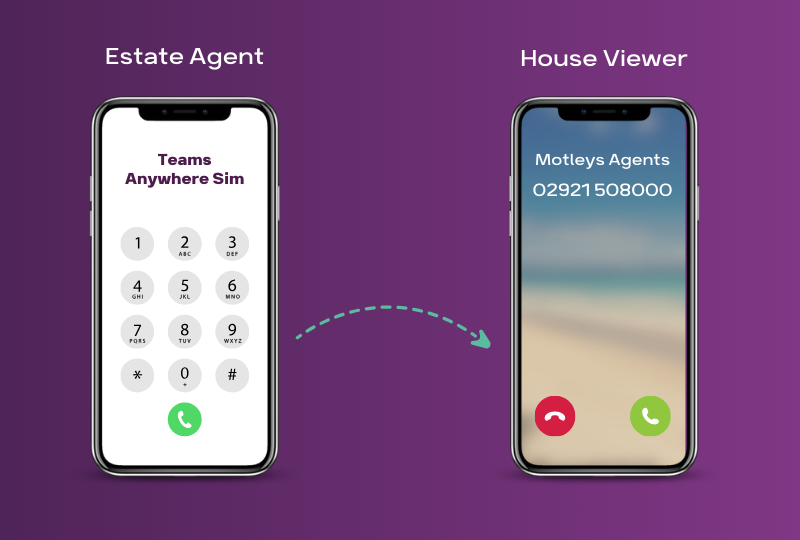
Copilot in Teams Phone live calls
The Copilot experience in Teams Phone is now fully powered by Microsoft 365 Copilot Chat, bringing a more unified experience across Teams and the wider Microsoft 365 suite. During a live call, users can open Copilot Chat as a side panel to get real-time summaries, surface key insights, and start acting on tasks straight away. Copilot draws on the user's emails, meetings, files, and relevant web data — not just the call transcript, to provide personalised, context-aware guidance.
Flotek offers Microsoft Teams Phone as part of its communications portfolio — a great way to get the full benefit of these Copilot call features.
Why it matters: Helps users stay informed during calls and move faster from conversation to action, without breaking the flow of the call.
Workplace
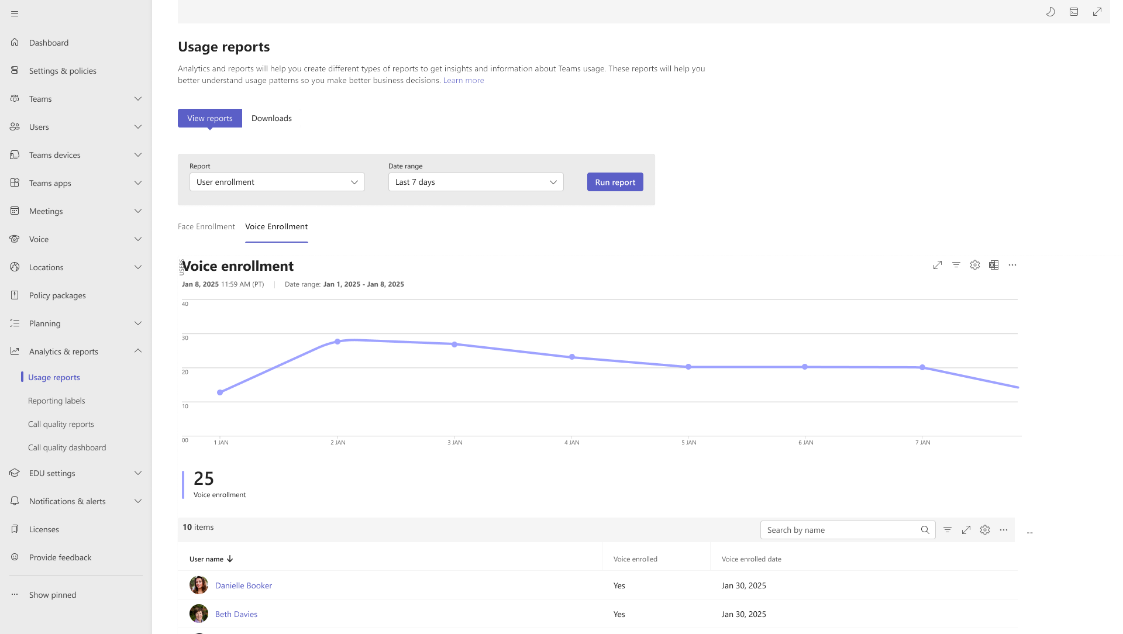
Voice and face profile enrollment dashboard for admins
Admins now have a dedicated dashboard in the Teams Admin Centre for monitoring voice and facial profile enrollments across the organisation. The dashboard shows enrollment trends over time, giving IT teams the visibility they need to support AI-enhanced meeting features at scale.
• Why it matters: Gives admins the insight they need to drive adoption of voice and face-based meeting features across their organisation.
Shared display mode and peripheral detection now available for GCC-H
Shared display mode in Teams, which allows more private and seamless meeting hosting from a PC, is now available in government GCC-H environments. Peripheral detection for bring-your-own-device spaces is also now available, supporting inventory management and reporting through the Teams Rooms Pro Management portal.
• Why it matters: Brings key hybrid meeting capabilities to government environments, improving both the meeting experience and device management.
Fundamentals and Security
Browser update required for Teams on the web, act before 15 May 2026
From 15 May 2026, Teams on the web will only load on browsers that support ECMAScript 2022 (ES2022). Users on older browser versions will start seeing reminder banners before the deadline, and after that date, unsupported browsers will be blocked. Admins should ensure end users are running supported, up-to-date browsers ahead of time.
• Why it matters: Action is needed now, users on outdated browsers will lose access to Teams on the web after the deadline.
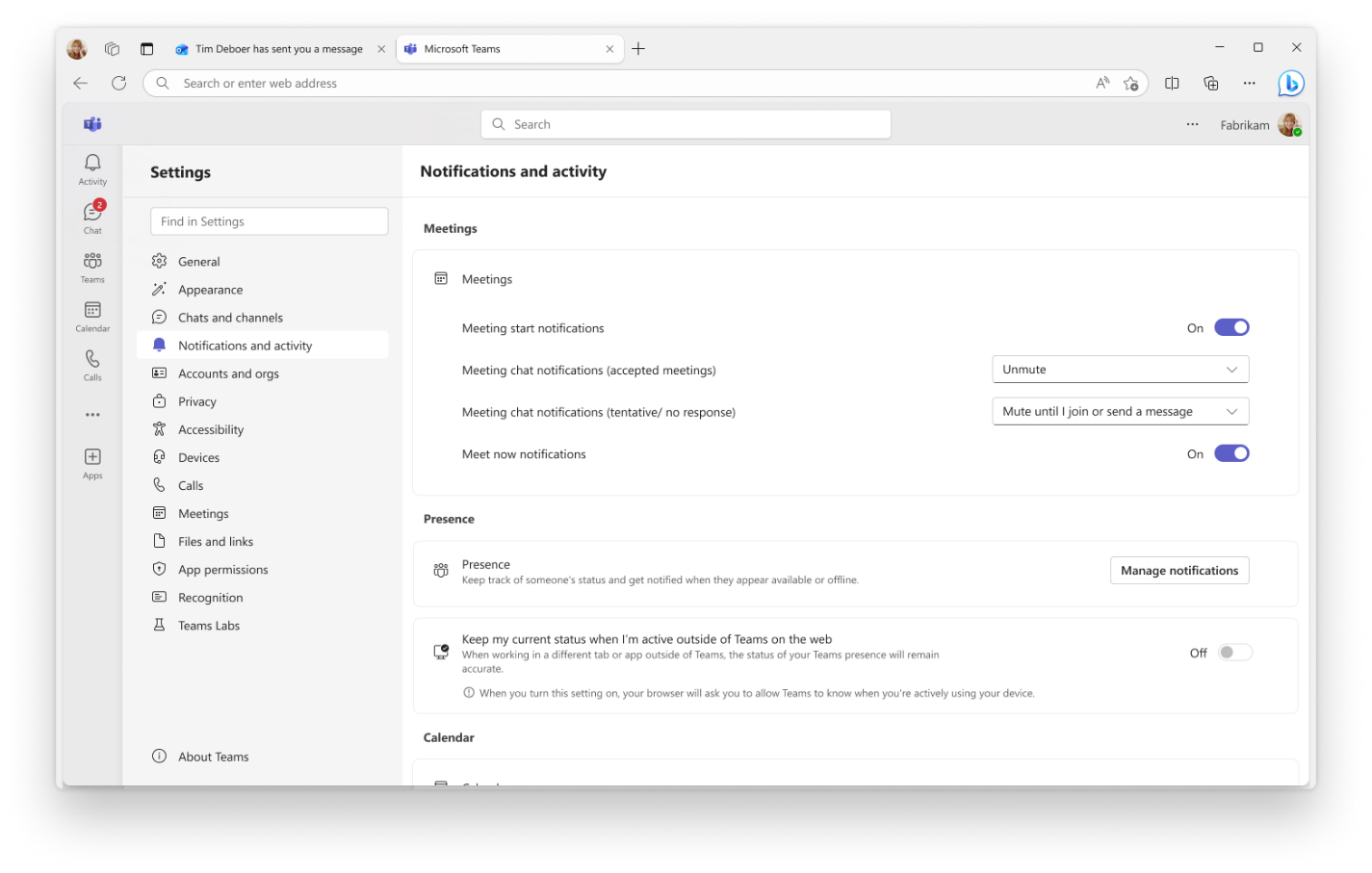
Accurate presence status when active outside Teams on the web
A new setting in Teams on the web helps your status reflect when you're genuinely active on your device, even if you're not currently in the Teams tab. When enabled, Teams checks whether you're active or idle, nothing more, so your presence stays accurate without any privacy concerns.
• Why it matters: Reduces the frustration of appearing offline or away when you're actually at your desk and available.
EXIF data automatically removed from shared images
Teams now automatically strips EXIF metadata, including GPS location and device details, from any images shared in chats and channels. No settings to configure, no action required. Your photos are shared without exposing sensitive information by default.
• Why it matters: Protects user privacy automatically, giving everyone confidence when sharing images in Teams.
Ready to Get Started?
Let's talk. There's no pressure, just a smarter way to understand your tech.
Email us at sales@flotek.io or book an audit online.
Further Reading
How Copilot Agents Transform Your Business — discover the next step after Teams: AI agents that work across your Microsoft environment.
Jay's Introduction to Microsoft Copilot 365 — a full webinar walkthrough on how Copilot works across Word, Excel, Teams, and more.
Microsoft 365 to Switch Users to New Outlook — another major Microsoft 365 change to prepare for.
Microsoft Teams Phone — get the full benefit of Teams calling and Copilot integration with Flotek.
Microsoft 365 Copilot for Small Businesses — Copilot is now accessible for organisations under 300 users.





.jpg)







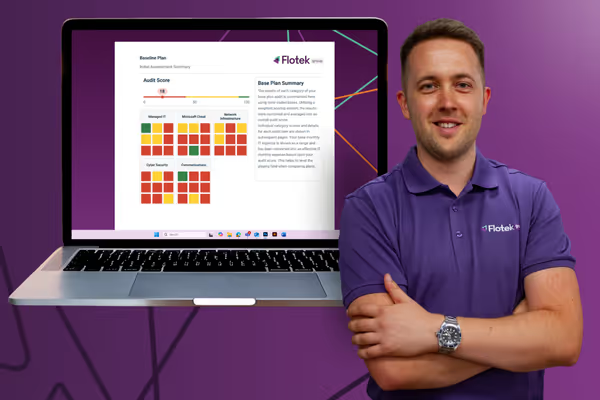
Schedule a Free IT Audit & Cost Breakdown

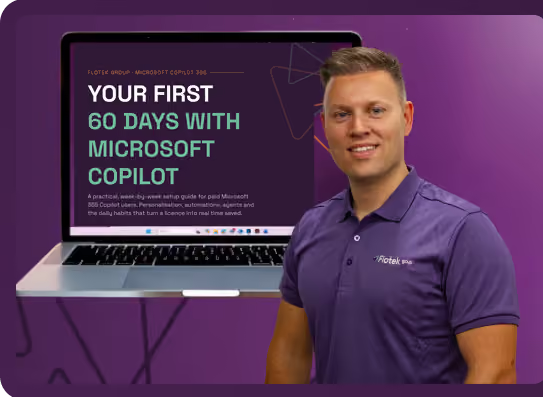
Download ‘Your First 60 Days with Microsoft Copilot’ Guide


%20amended%20logo.avif)









.avif)
.avif)
%20(1).avif)
.avif)