What's New in HUB365: September Edition


Explore the Latest Innovations and Features within HUB365
At Flotek, we’re all about making work simpler, faster, and more connected. That’s why we’re excited to share the latest updates now live in HUB365. This release is packed with smart improvements that help users find what they need more easily, personalise their workspace, and connect with colleagues faster.
Here’s what’s new.
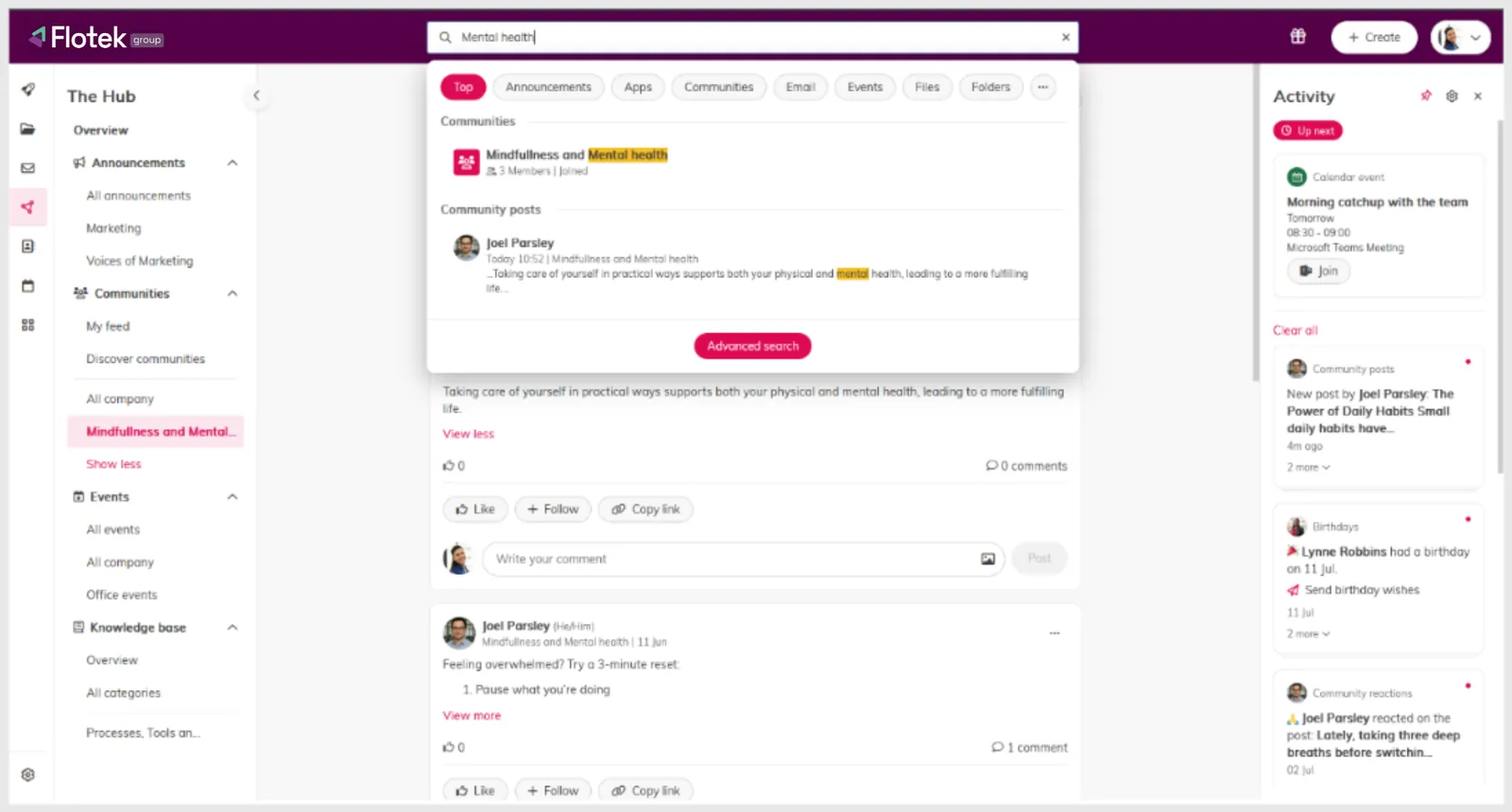
Search Communities with Global Search
Users can now search through Communities and posts using Global Search or Advanced Search. No more scrolling endlessly, relevant conversations are surfaced instantly.
Why it matters:
• Saves time by skipping manual browsing
• Encourages engagement with Communities
• Makes it easier to discover useful discussions
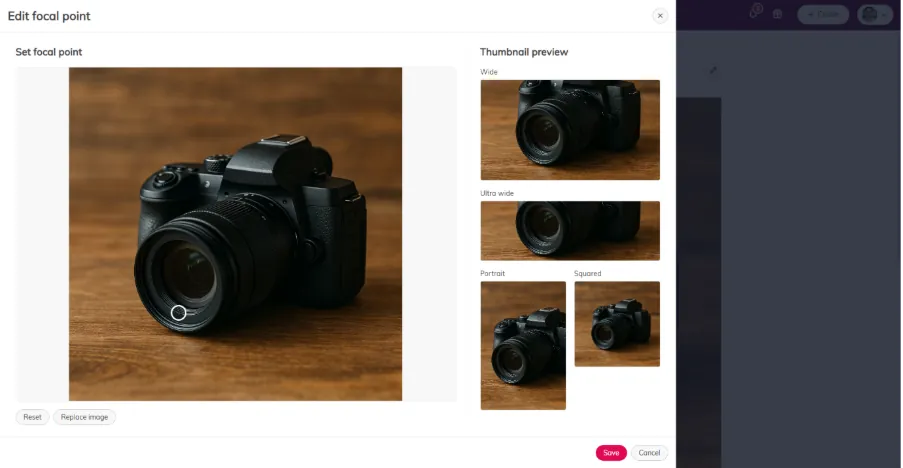
Set Focus Areas for Hub Cover Images
Cover images on Hub items can now be adjusted to highlight the right focal point. Whether it’s an announcement, event, or knowledge article, users can choose how their image appears across different layouts.
Why it matters:
• No need to pre-edit images
• Gives users more control over how content looks
• Improves visual consistency across the Hub
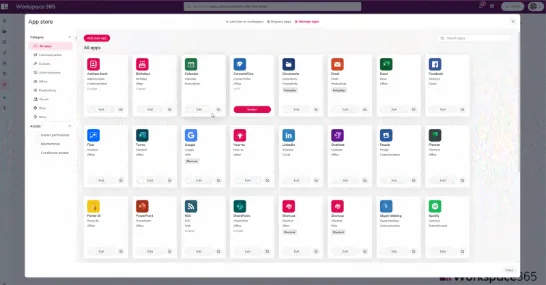
Add Tags to Apps in the App Store
Apps can now be tagged with up to five keywords, making them easier to find via Global Search, Advanced Search, and within the App Store itself.
Why it matters:
• Delivers more accurate search results
• Brings consistency to app categorisation
• Helps users discover tools faster
Search Metadata in the Address Book
Users can now search Workspace contacts using metadata like phone number, email address, and the “About me” section.
Why it matters:
• Makes it easier to connect with the right person
• Enhances search functionality across the workspace
Small but Impactful
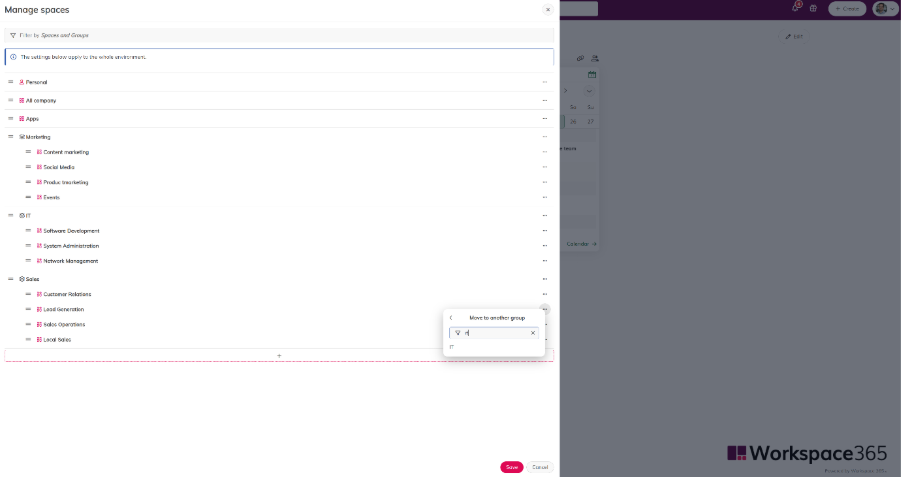
A new filter bar has been added to the “Move to” dropdown in the spaces sidebar management. It’s a small change, but it makes navigating and organising spaces much smoother.
Behind the Scenes: Fixes & Improvements
This latest update also includes several behind-the-scenes fixes and enhancements such as:
• Improved handling of long query parameters in the integration builder
• Resolved flickering issues in dropdown menus on smaller screens
• Fixed navigation bugs when using the browser’s Back button
• Added confirmation prompts when leaving edited Hub items
• Simplified follow button labels for a cleaner interface
Ready to Explore HUB365?
At Flotek, we’re always working to make your digital workspace more intuitive and efficient. The latest HUB365 update, it brings meaningful improvements that help users find, connect, and customise with ease. If you're already using HUB365, these new features are ready to enhance your experience and if you're just getting started, there's never been a better time to dive in.
Need help rolling out the new features or want to learn more? Our team is here to support you every step of the way.
Let’s talk. There’s no pressure. Just a smarter way to understand your tech.
Email us on sales@flotek.io or book an audit online at www.flotek.io/contact
Further reading: What's New in HUB365: October Edition
What's new in HUB365 in September?

Can I search HUB365 Communities?
Who provides HUB365?

Schedule a Free IT Audit & Cost Breakdown


Want it fixed and kept that way? From just £14 a month, we verify your domain and monitor it 24/7, so your email lands and nobody else can send as you.