






Microsoft 365 Copilot Updates | April 2026


.avif)

The Microsoft 365 Copilot updates you need to see this month are game changing
Another month, another batch of updates to Microsoft 365 Copilot — and this one's a good one. April saw Microsoft push out a mix of genuinely useful everyday improvements and a couple of bigger shifts worth paying attention to, especially if your organisation is starting to lean more heavily on Copilot day-to-day.
If you don't have time to read the full Microsoft changelog (and honestly, who does?), here's our plain-English rundown of what changed in April 2026, what it actually means for your team, and what we think is worth getting excited about.
This month's updates span the full Microsoft 365 suite — from meeting recaps in Teams to AI-assisted SharePoint site building, and Copilot finally editing Excel files that live on your desktop. Here's the breakdown, app by app.
Microsoft 365 Copilot App
Video recap of meetings in Copilot Chat
When you ask Copilot Chat to summarise a meeting, you'll now get a short narrated highlight reel alongside the written recap. It pulls out the key takeaways and stitches them together with the relevant clips from the recording, so you can see what actually happened rather than reading someone else's interpretation of it. Available in Copilot Chat and the Microsoft Clipchamp web player for meetings that were at least 10 minutes long and had recording switched on. English only for now.
Why it matters: Skipping a meeting used to mean trawling through a 45-minute recording or squinting at a wall of notes. A three-minute highlight reel with the important bits pulled out is a much better use of your afternoon.
Researcher gets new output formats
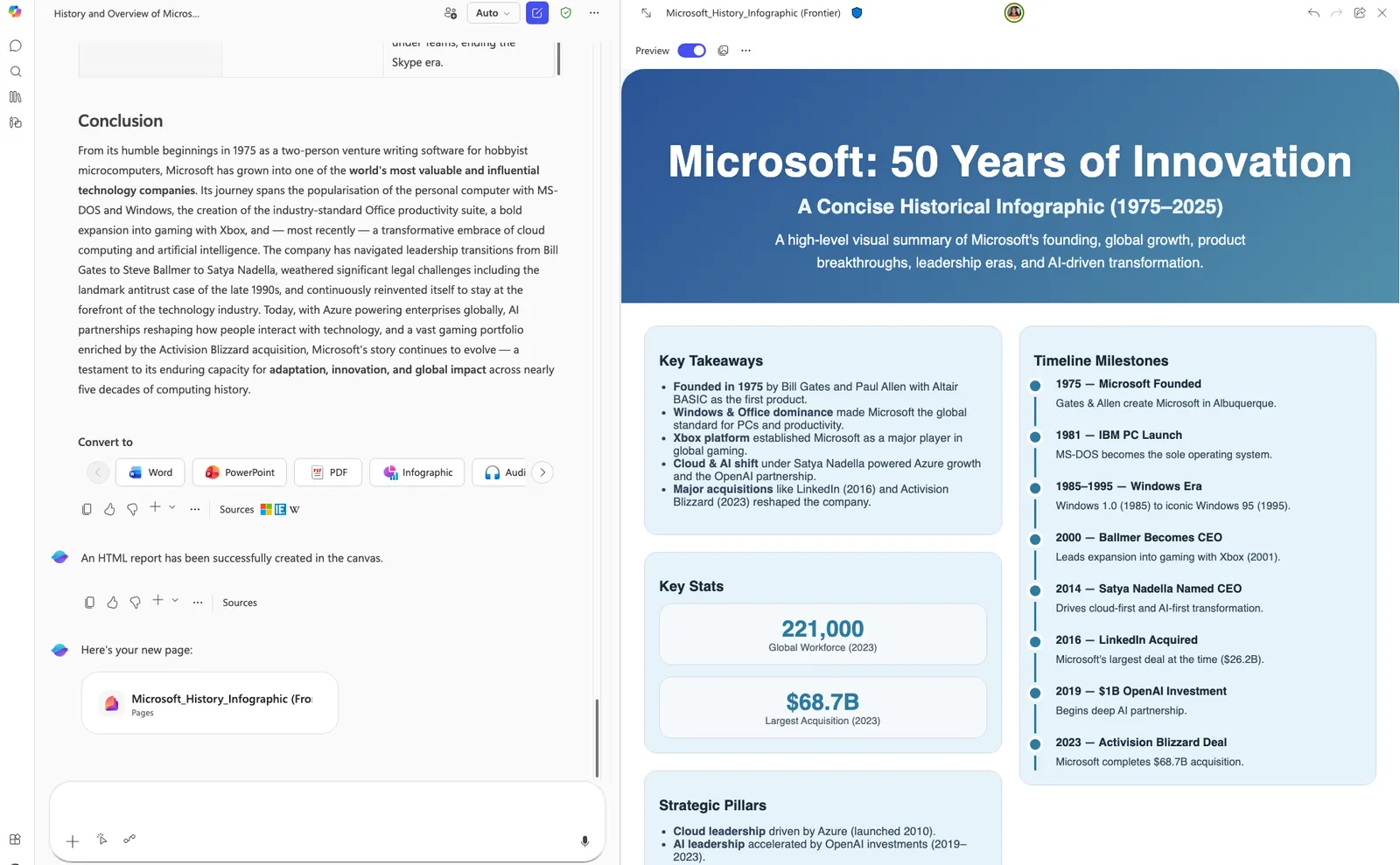
Researcher in Microsoft 365 Copilot can now convert its reports into a PowerPoint deck, a PDF, an infographic, or an audio overview — all in a single click. No re-formatting, no copy-pasting into a new file, no asking someone to "make it look nice".
Why it matters: The same insight often needs to land with different audiences in different ways. This removes a chunk of the busywork between having the research and actually using it.
Custom branded footer for your organisation
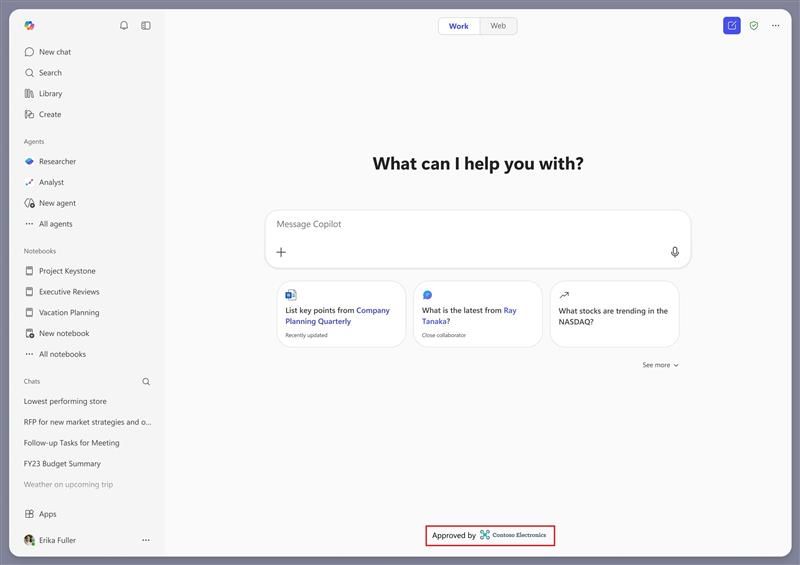
Admins can now add a branded footer to the Microsoft 365 Copilot app, which shows up at the bottom of the Copilot Chat screen. It's configured in the Microsoft 365 admin centre and is designed to reassure users that they're using an approved, organisation-managed AI tool rather than whatever they've got open in a browser tab.
Why it matters: A small but smart addition for any business that's rolled out Copilot and wants to gently steer people away from unapproved AI tools floating around.
Copilot Notebooks — new look and feel
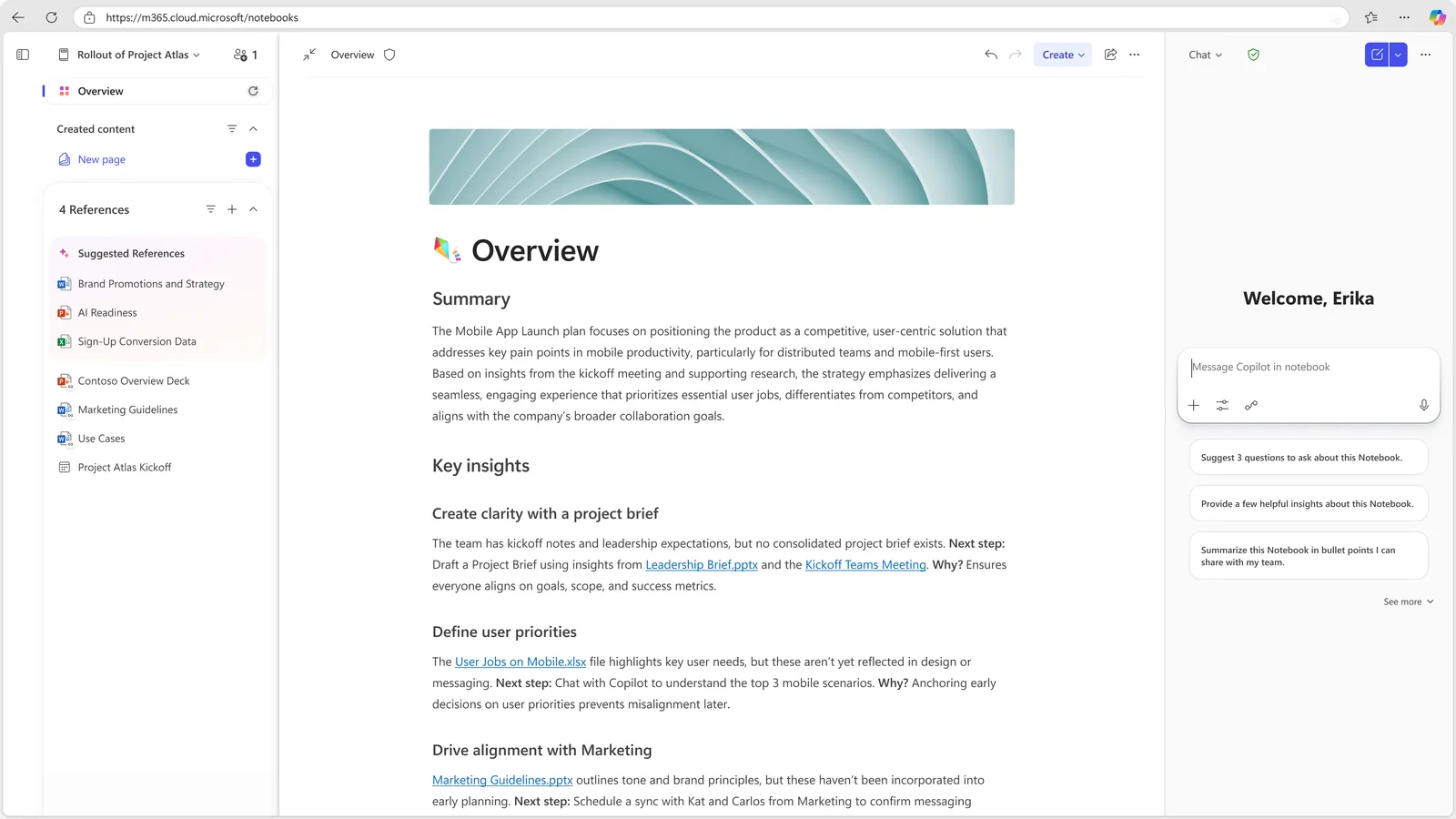
Copilot Notebooks has had a full UX refresh. References, Copilot Pages content, and Copilot chats now sit together in one side-by-side view. There's a new Overview page, richer reference sets, quicker artifact creation and much easier sharing with teammates.
Why it matters: Notebooks is quickly becoming one of the most underrated parts of Copilot, and this makes it significantly more usable — especially for teams working on longer-running projects. If you want to go further with custom AI, read our guide on how Copilot Agents will change everything for your business.
Microsoft Teams
Audio recap now in seven more languages
Audio recap — the feature that lets you listen to an AI-generated summary of a meeting rather than read it — is now available in Chinese, French, German, Italian, Japanese, Portuguese and Spanish, as well as English.
Why it matters: Much better for global teams, and genuinely useful if you prefer listening over reading — perfect for commutes or catching up while doing something else. For the wider Teams picture, see our Microsoft Teams updates for April 2026.
SharePoint
AI in SharePoint (formerly Knowledge Agent)
What launched as Knowledge Agent back in September 2025 has been rebranded and upgraded as AI in SharePoint. The big shift: teams can now plan and build sites, libraries, pages and lists using plain English. No technical know-how required — just describe what you want to build and SharePoint does the heavy lifting.
Behind the scenes, AI in SharePoint also handles metadata automatically, adapts libraries as content changes, and helps make sure your information is structured properly so Copilot and agents across Microsoft 365 can find and use it. It's in Public Preview from April and is rolling out worldwide in May. Worth noting: the preview is powered by Anthropic's Claude model.
Why it matters: This is the most significant change of the month. SharePoint has always been powerful but intimidating for non-technical users — this makes it genuinely approachable, which means it'll actually get used.
Excel
Work IQ context when editing with Copilot
When you edit with Copilot in Excel, Work IQ now automatically pulls in the most relevant context from your emails, meetings, chats and files — without you needing to manually point Copilot at them. The result is more accurate, multi-step edits that actually reflect what's going on around your work, not just the spreadsheet in front of you.
Why it matters: This is the kind of quiet improvement that genuinely changes the feel of working with Copilot. Less pointing Copilot at things, more getting on with the work.
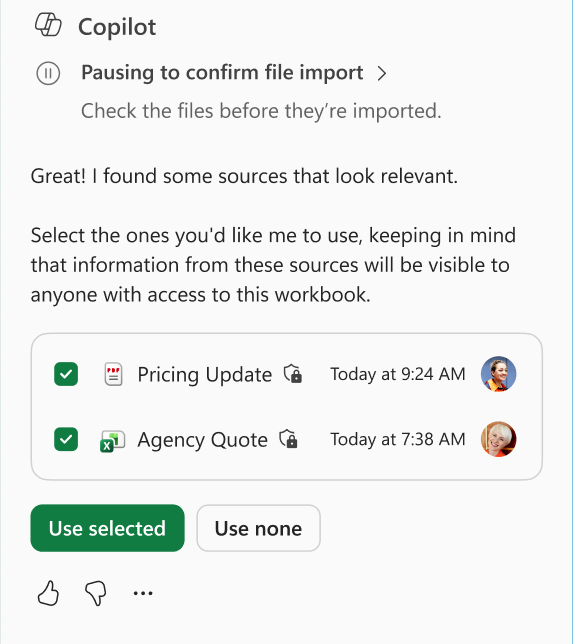
Copilot can now edit local Excel files
Copilot can now make multi-step edits to Excel workbooks stored locally on Windows and Mac — no more need to move files into the cloud first to get Copilot involved.
Why it matters: A proper quality-of-life improvement. If your team has files that live on the desktop for whatever reason, Copilot now just works with them.
Word
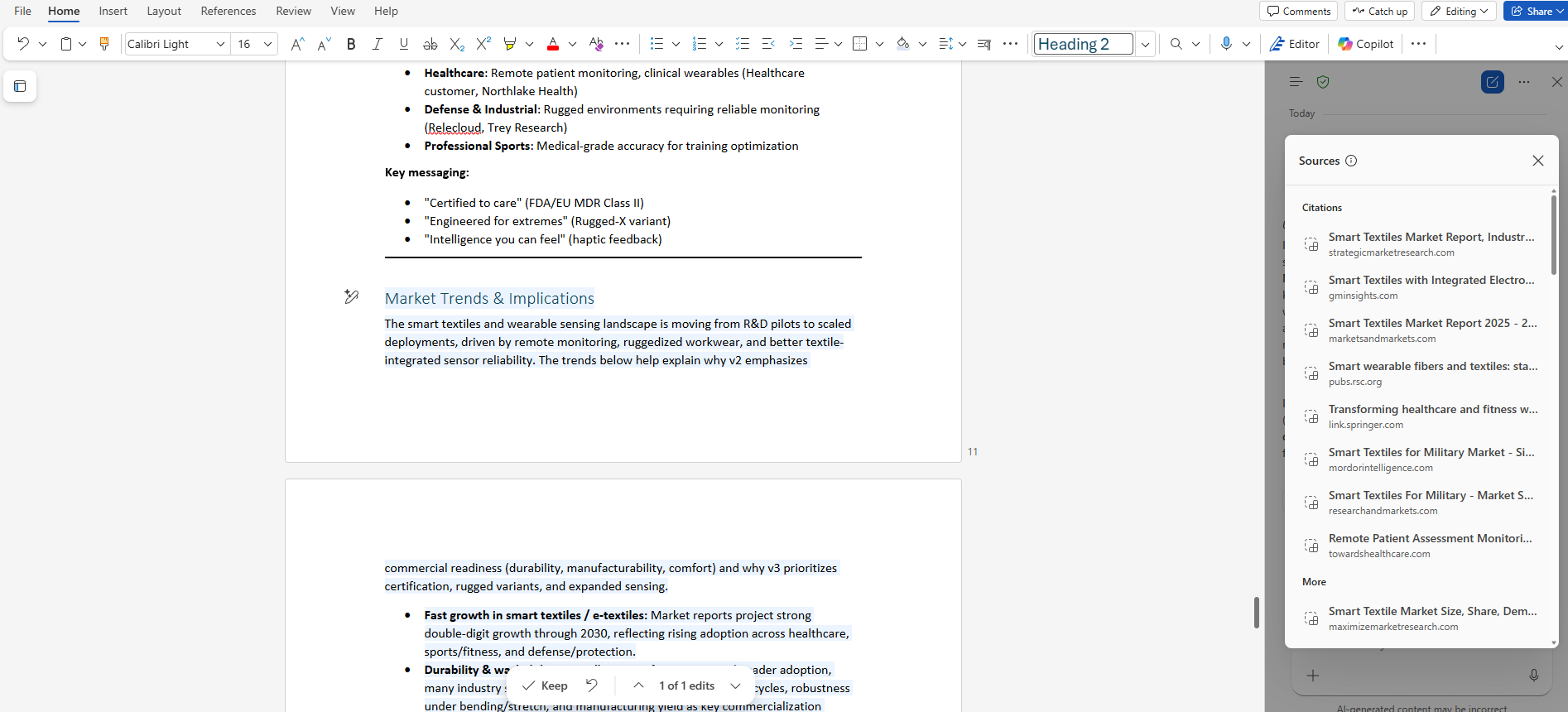
Citations display for Copilot in Word
When Copilot edits a Word doc using information pulled from the web or Work IQ sources, it now displays citations automatically. You can see where the content came from and verify it in a click.
Why it matters: Transparency is a big deal with AI-generated content — especially for anything legal, financial or customer-facing. Being able to check sources without digging around gives teams far more confidence in what they're publishing.
PowerPoint
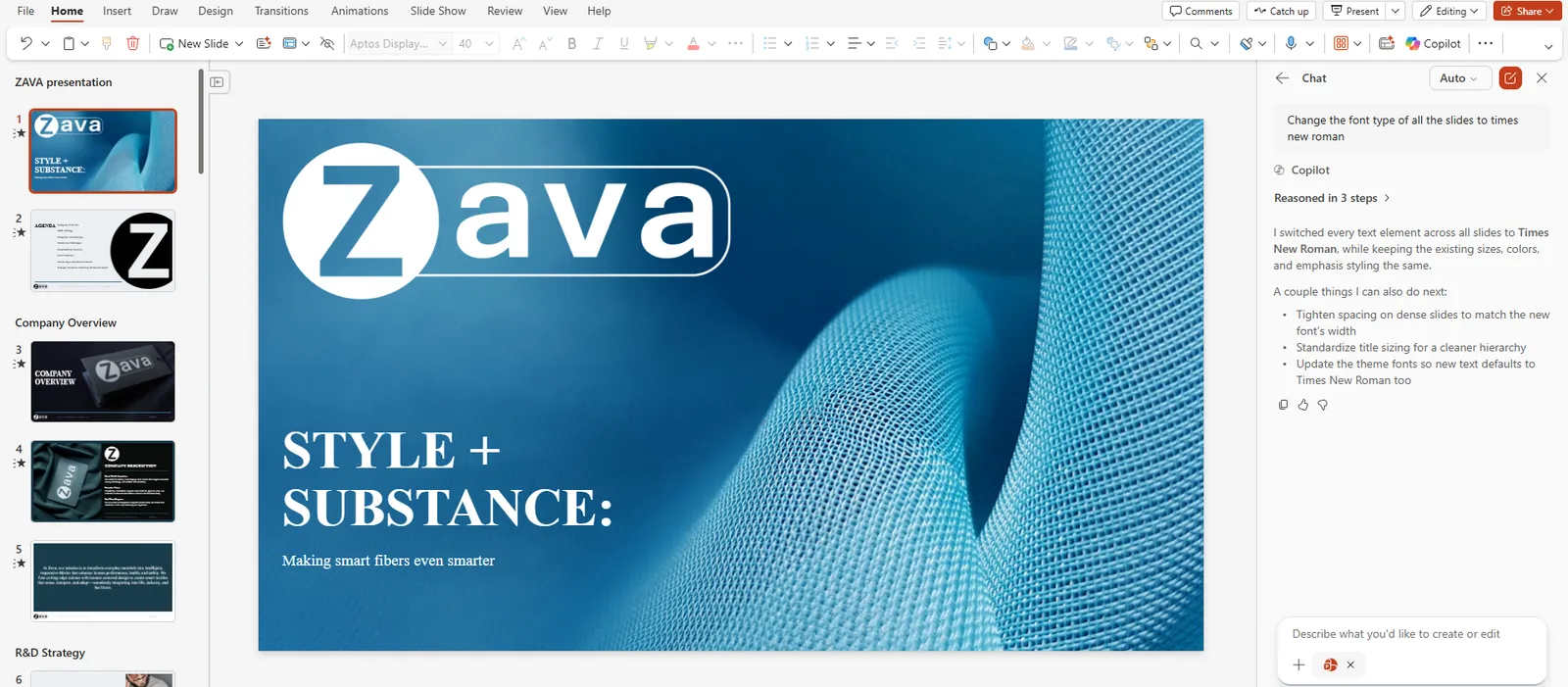
Standardise formatting with Copilot
Switch on "Edit with Copilot" in PowerPoint and you can now standardise fonts, font sizes and bullet styles across every slide in the deck at once. No more clicking through 30 slides fixing the one rogue bullet point someone pasted in from a Word doc.
Available on the web now, with Windows and Mac rolling out soon.
Why it matters: If you've ever inherited a messy deck from someone else (or built one from scraps of several others), this is going to save you a frankly embarrassing amount of time.
Need help navigating the latest enhancements to Copilot?
The latest updates in Microsoft Copilot bring a host of new features designed to enhance productivity, streamline communication, and provide a more personalised experience. With improvements in chat and collaboration, Copilot continues to evolve as a powerful tool for seamless and efficient communication.
Flotek's Microsoft 365 solutions include licensing, training and rollout support — plus the Flotek Partner Portal gives your team access to 850+ training videos covering every Microsoft app, including Copilot.
Get more from Microsoft 365
Ready to explore more about Microsoft 365? Explore more ways to unlock the full power of your suite:
Introducing Microsoft Copilot for Finance — how Copilot is reshaping everyday finance workflows.
Why Use Microsoft Copilot in Chat Over ChatGPT — the business case for Copilot Chat over public AI tools.
Getting Started with Microsoft Copilot 365 — a practical first-steps guide for teams new to Copilot.
How Copilot Agents Will Change Everything for Your Business — custom AI agents for your specific workflows.
Microsoft 365 Copilot Business for Under 300 Users — Copilot is now affordable for SMEs.
16 Benefits of Using Microsoft 365 for Your Business — why the full suite is worth the investment.





Smarter meeting recaps
AI in SharePoint arrives
.jpg)







Schedule a Free IT Audit & Cost Breakdown


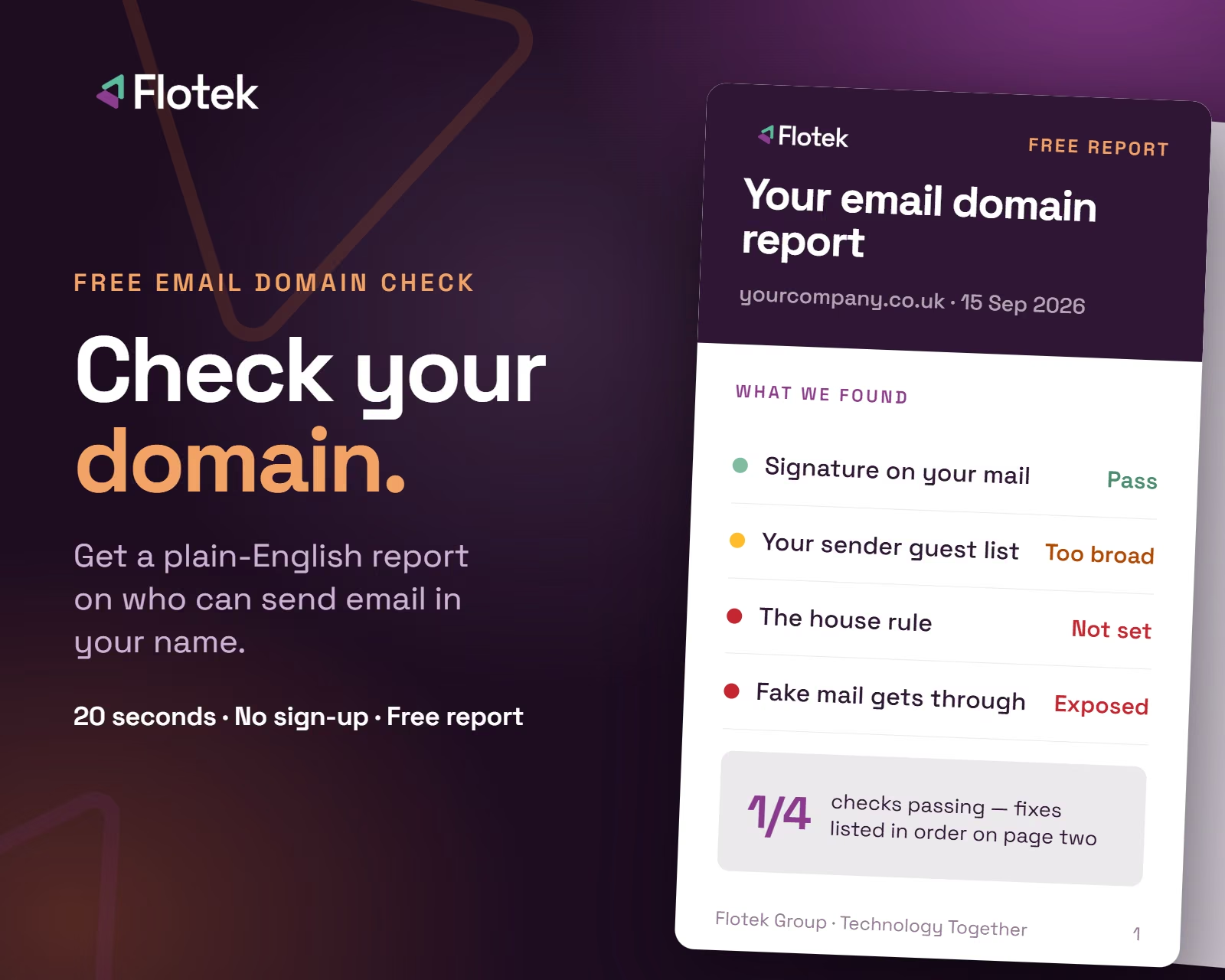
Want it fixed and kept that way? From just £14 a month, we verify your domain and monitor it 24/7, so your email lands and nobody else can send as you.












.avif)
.avif)
%20(1).avif)
.avif)