






Microsoft Teams Updates | November Edition


.avif)

Take Advantage Of The Latest In Microsoft Teams
Staying up to date with Teams makes a real difference to how smoothly your workday runs. At Flotek, we break down the monthly updates so you know exactly what’s new, what’s improved, and what will help your team work smarter. Here’s a clear, bitesize look at the latest enhancements rolling out across Microsoft Teams this November.
Chat and Collaboration
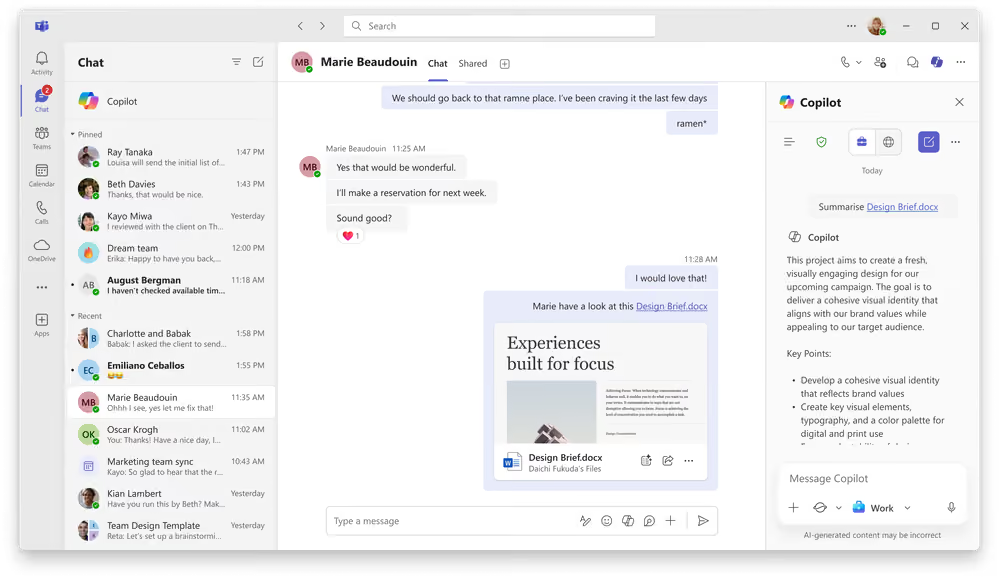
Summarise Files Shared in Teams Chat with Copilot
When someone shares a file in Teams, you may not always have time to open it or scan through pages of content. Copilot can now generate instant summaries of Word documents shared in both one-to-one and group chats, including on mobile. It respects all security labels and permissions, so only authorised users can see the summary.
• Lets you assess a document’s relevance in seconds, even on mobile.
Updated Emoji Keyboard Shortcut
Teams now supports the familiar colon ‘:emoji:’ format for inserting emojis without reaching for your mouse. Type a colon, the emoji name, then another colon, and Teams will insert it automatically. The improved search also supports custom emojis, making the process quicker and more intuitive.
• Embellish messages faster with emojis faster and more naturally.
Meetings, Webinars and Town Halls
Audio recap now generally available
Microsoft has introduced audio recap, a hands-free way to catch up on meetings by listening to a spoken summary. You can generate audio recaps for up to eight meetings at a time and choose from three styles:
– Newscast: fast and factual.
– Executive: concise, minimal commentary.
– Casual: more conversational.
Audio recaps are accessible from the meeting recap page on both desktop and mobile.
• Quick hands-free meeting catch-ups with AI-generated audio summaries.
Event Chat Now Available in Town Halls for GCC, GCCH and DoD (Premium)
Organisers and attendees in these cloud environments can now use Event Chat to hold secure, threaded discussions during Town Halls. The chat remains available after the event, making follow-up simple.
• Enable secure, real-time conversation during Town Halls, with chats that remain available after the session.
Teams Phone
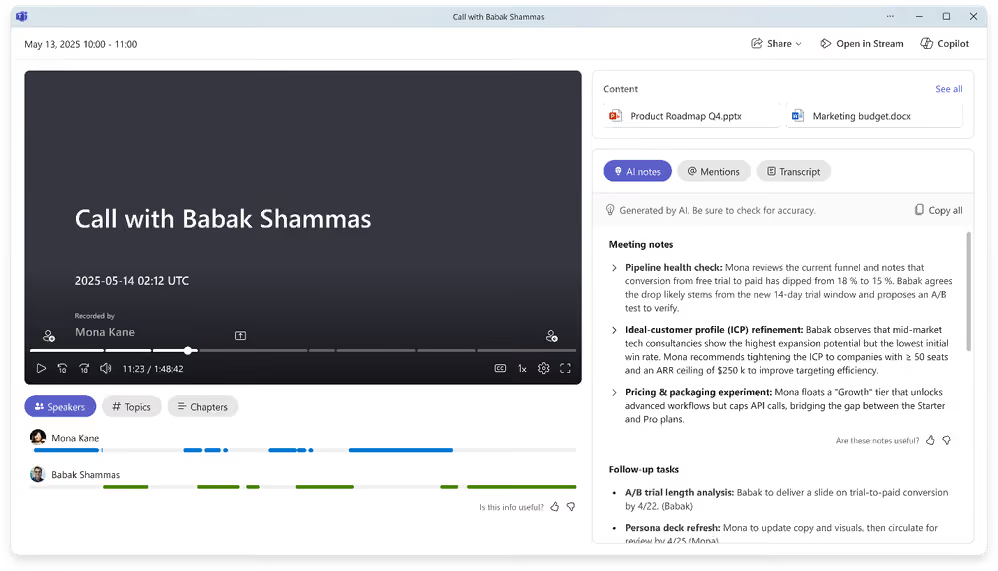
Intelligent Recap Pop-out Window in the Calls App
You can now access Intelligent Recap directly within the Calls app. When viewing a recorded or transcribed call, select ‘View recap’ to open a pop-out window containing AI-generated summaries, notes, and recommended tasks.
• Access AI-generated call summaries and actions instantly without replaying recordings.
Teams Phone Mobile Now Generally Available with AT&T
Teams Phone Mobile allows users to make and receive calls using a single work number across both their mobile device and all Teams endpoints. This integration is now available to AT&T customers.
• Use one consistent number across mobile and Teams for a seamless calling experience.
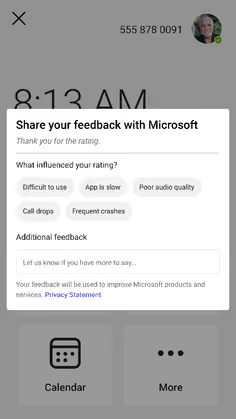
Improved Feedback on Teams-Certified Phone Devices
Rating your calling experience is now easier. Instead of typing lengthy feedback on a touch screen, Teams will suggest short, relevant text prompts based on your star rating. Additional comments remain optional.
• Share feedback quickly with helpful prompts designed for mobile devices.
Enhanced Call Transfer Experience
Teams-certified devices now offer clearer call transfer options. ‘Consult first’ puts the caller on hold until the recipient answers, reducing accidental drop-ins. Direct transfers display real-time progress updates such as ‘Transferring’ and ‘Completed’.
• Reduce call transfer mistakes with clearer options and real-time status updates.
Workplace: Teams Rooms and Places
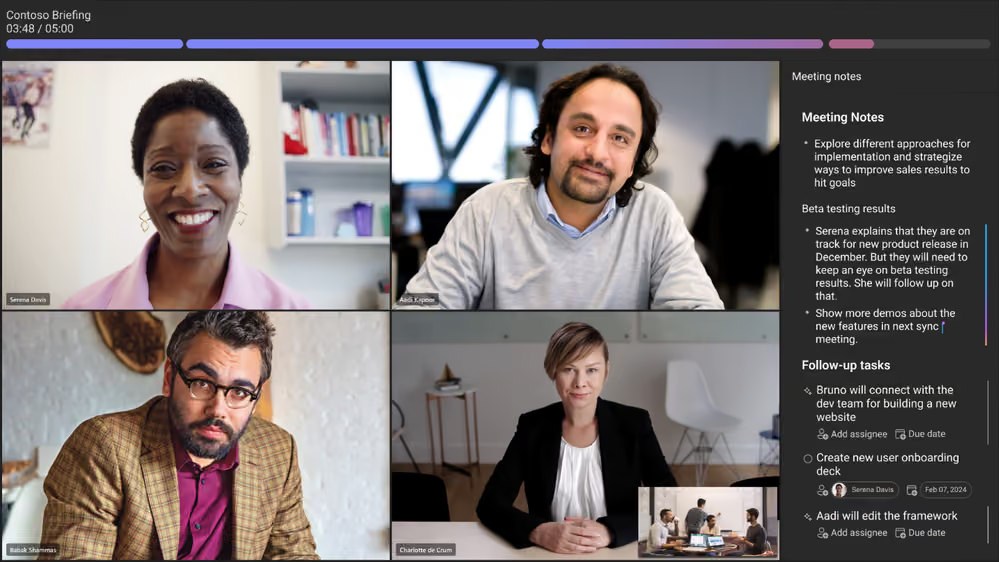
Facilitator Agent for Scheduled Meetings in Teams Rooms on Android
The Facilitator agent can now generate real-time AI notes, follow-up actions, and time updates directly within scheduled meetings. It appears in the meeting chat, and participants can switch between notes, chat, and agent views with ease.
• Save time without manual effort.
Cloud IntelliFrame support on Teams Rooms on Android
Using AI to provide clearer, more focused views of in-room participants, Cloud IntelliFrame is now available and enabled by default on Android, using group framing.
• Give remote attendees a clearer view of the room with intelligent framing.
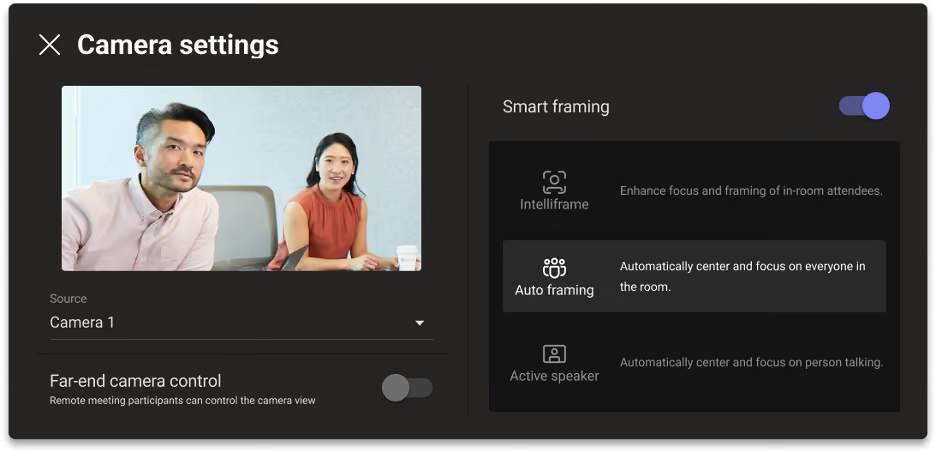
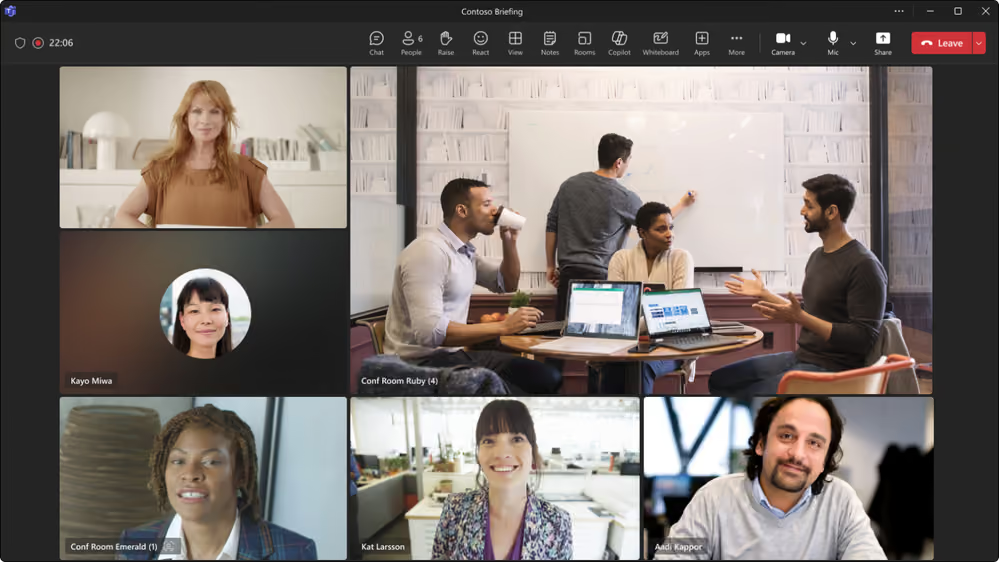
Dynamic Video Tile Resizing for Teams Rooms on Android
Teams will now resize the room video tile based on how many people are physically present. One person results in a standard tile; multiple people enlarge it for better visibility. Admins can configure this in the console.
• Helps remote colleagues to feel more engaged.
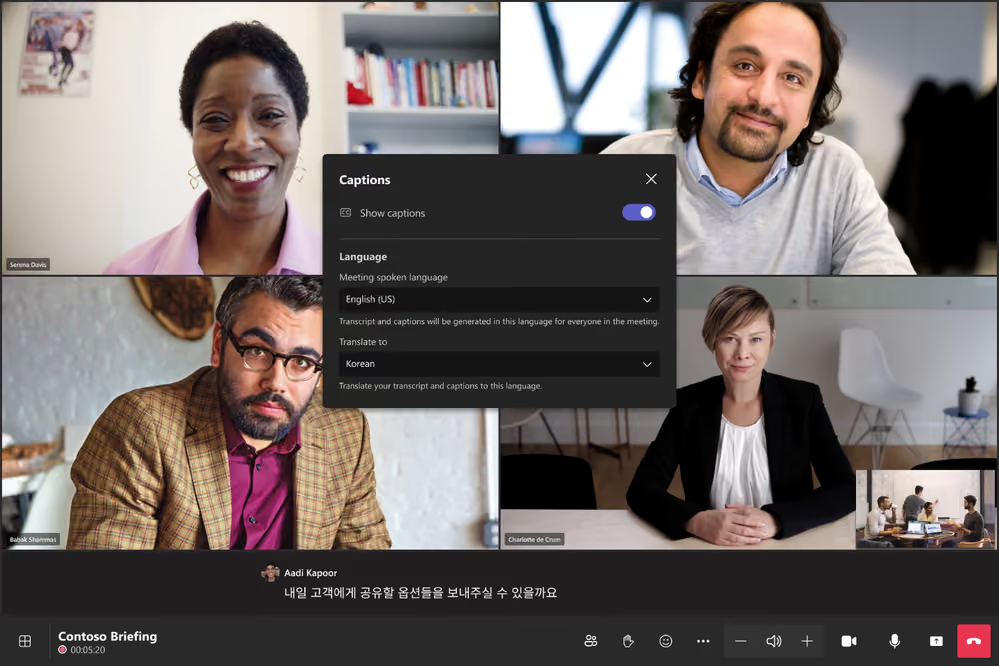
Live Caption Translation in Teams Rooms on Android
Users can now choose their preferred caption translation language independently of other meeting participants, from 40 supported languages.
• Follow meetings in your own language without affecting anyone else’s settings.
Join Town Halls and Webinars from Teams Rooms on Android
Teams Rooms on Android can now join Town Halls and webinars as attendees, providing a consistent viewing experience with desktop features.
• Attend large events directly from a meeting room with the same capabilities as desktop attendees.
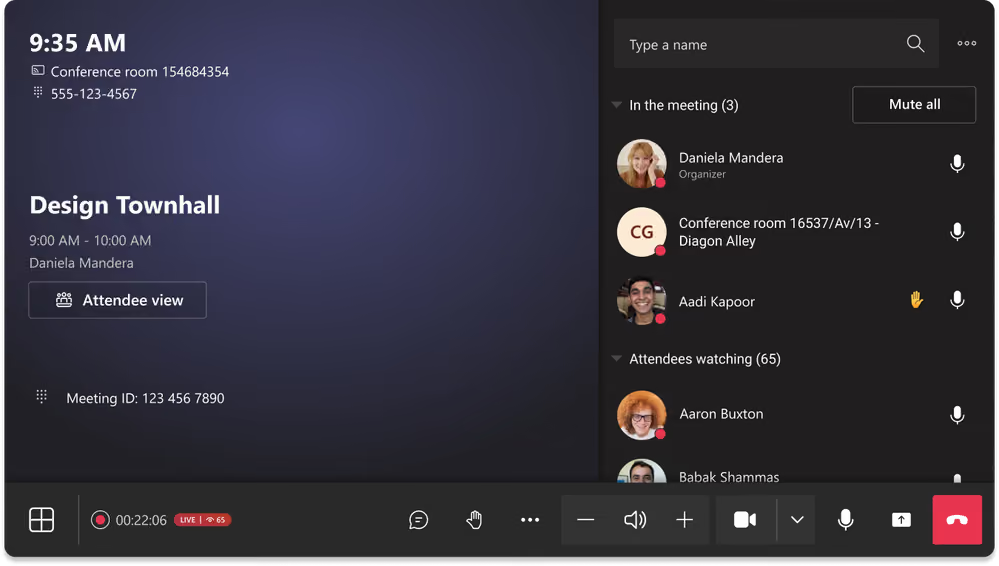
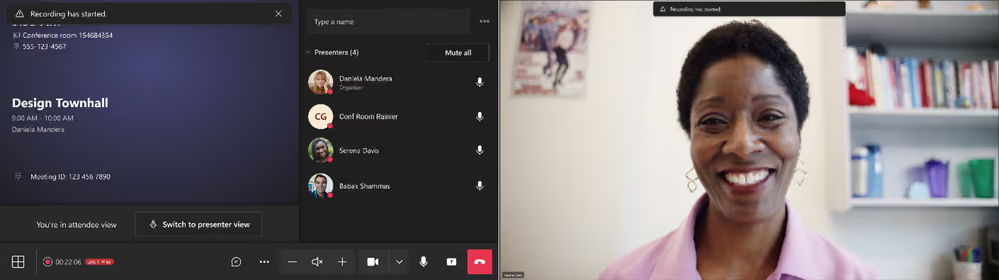
Front-of-room view control for Town Halls and Webinars (Windows and Android)
When a Teams Room is invited as a presenter, the room display defaults to attendee view, but presenters can switch to presenter view from the console at any time.
• Give presenters full control over what appears on the front-of-room display.
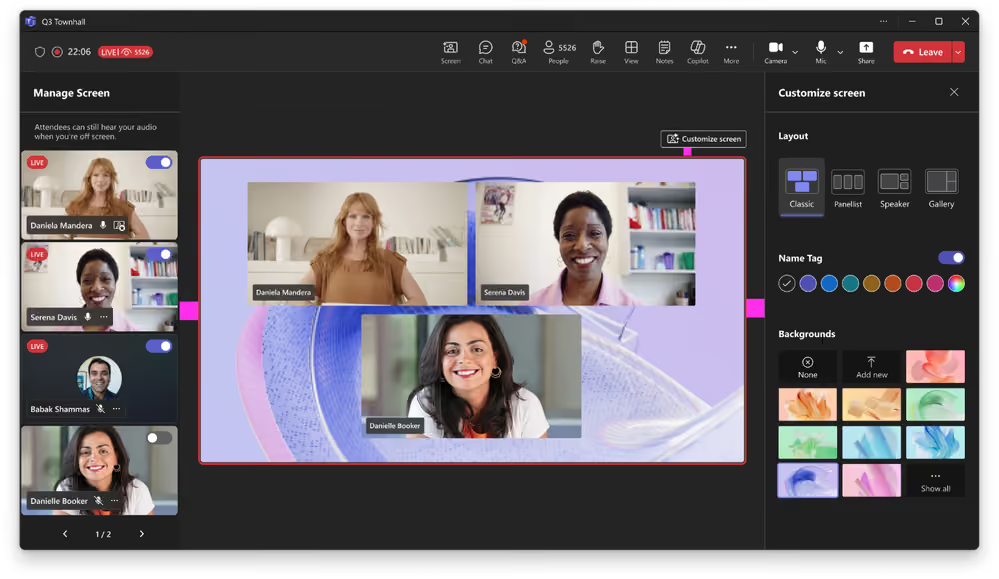
Enhanced production tools for Town Halls in Teams Rooms on Windows
Hosts with a Pro licence can now control which presenters appear on screen, managing video and audio during large events. Premium licence users can also control layout, backgrounds, and name tags.
• Deliver polished, professional Town Halls with greater control over the viewer experience.
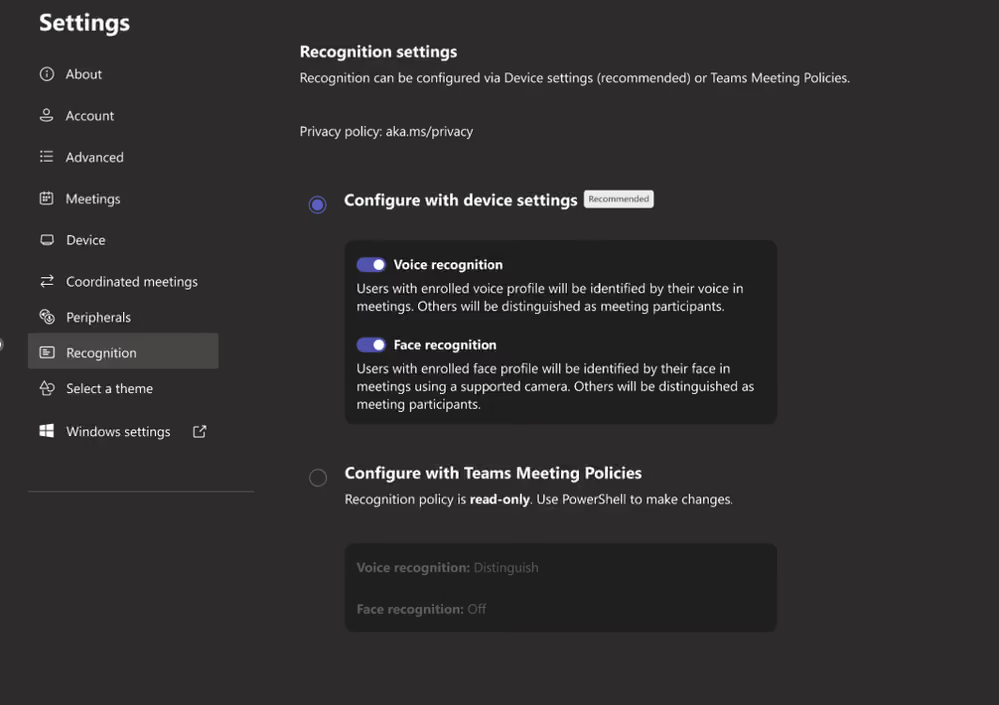
Simplified device settings for intelligent audio and video
New interface and admin settings simplify the configuration of Copilot-powered intelligent audio and video features across Teams Rooms. PowerShell is no longer required.
• Enable AI-powered meeting features more easily with streamlined device and admin controls.
Need help navigating the latest enhancements to Teams?
The latest updates in Microsoft Teams bring a host of new features designed to enhance productivity, streamline communication, and provide a more personalised experience. With improvements in chat and collaboration, enhanced keyboard shortcuts, and advanced code block sharing, Teams continues to evolve as a powerful tool for seamless and efficient communication.
Ready to Get Started?
Let’s talk. There’s no pressure—just a smarter way to understand your tech.
Email us on sales@flotek.io or book an audit online at www.flotek.io/contact
Get More from Microsoft 365
Ready to explore more about Microsoft 365? Explore more ways to unlock the full power of your suite:
How To Use Microsoft Teams For Knowledge Management





.jpg)







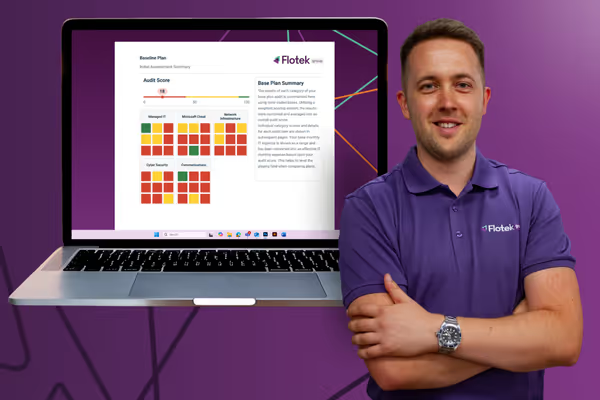
Schedule a Free IT Audit & Cost Breakdown

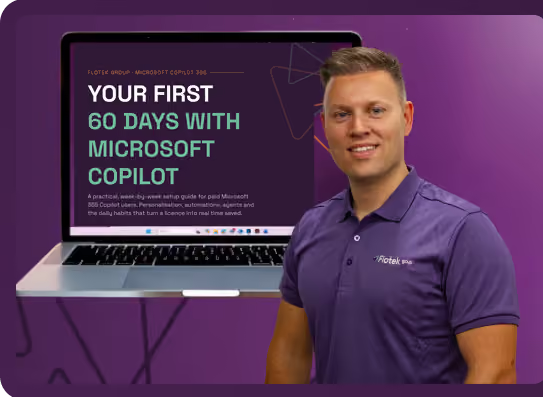
Download ‘Your First 60 Days with Microsoft Copilot’ Guide







.avif)
.avif)
%20(1).avif)
.avif)