







Secure, browser based PC access.
FloControl is your streamlined remote access solution, delivering a safe and simple way to manage your PC from anywhere. Designed for efficiency and peace of mind, it keeps your digital workspace connected, secure and ready.


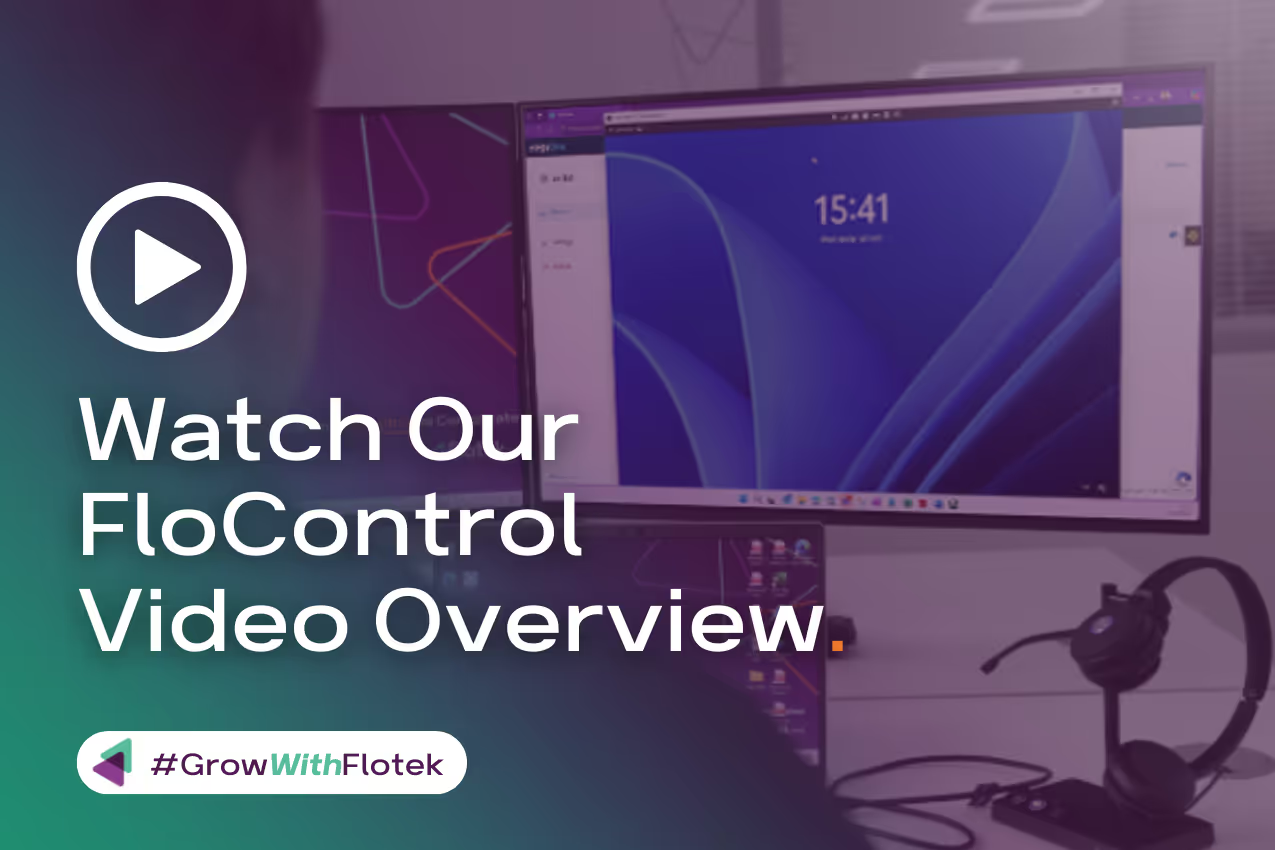
The secure workspace for a connected digital world
As remote and hybrid work become the norm, FloControl gives you effortless, secure access to your PC anytime, anywhere. No software installs, no hassle, just log in through your browser and stay productive with confidence.

Your Secure PC Access. Anytime, Anywhere,
with Ease.
Give your team the freedom to work confidently with FloControl. Secure, browser-based access to their PCs from any location.

Easy Remote PC Access
Flo Control allows you to securely access your work PC from anywhere using a lightweight app and your web browser, no VPNs or complex setup required.

Remote Troubleshooting
Run diagnostics, transfer files, and resolve issues without needing to be physically present at the device.

Multi-Factor Authentication
Every session is protected by MFA, ensuring only authorised users can connect, helping you meet Cyber Essentials and other compliance standards.

Cross-Platform Compatibility
Supports both Windows and macOS, giving your team flexibility to work from any device.

Access Multiple PCs with One Login
Easily switch between multiple authorised devices using a single secure login — ideal for users managing several endpoints.

Remote Printing
Print documents from your work PC directly to your home printer, making remote work even more seamless.

Real-Time Session Monitoring
Track who accessed what and when. View session history and audit logs to maintain visibility and accountability.

Secure Data Handling
All remote sessions are encrypted end-to-end, ensuring your data stays protected during every connection.


The numbers that count
We believe that transparency is key to collaboration, so we make performance data visible and available to our partners to keep you ahead of your game.
0%
Productivity
Of Users Report Increased Productivity After Switching
0%
Adoption
Users Globally Have Adopted
FloControl To Daily Operations.
FloControl To Daily Operations.
0%
Efficiency
Of Users Say Flo Control Improves Team Visibility
0%
Faster
Faster Task Handoffs Across
The Business
The Business
Ready to discover more?
You’ll find all the detail in our interactive brochure, which you can also download to read offline if you prefer (with no forms to fill in first!)
.avif)

View brochure

Flotek have transformed my business with their telecoms and IT support solutions. Their support service is exceptional.
Zoe Baker
Having used many IT and Telecoms providers over the years, I feel I can truly appreciate the excellent service I receive from Flotek.
David Darkin
Flotek are exceptional all round!
I cannot say enough positive things about them.
I cannot say enough positive things about them.
Michael Williams
Great service from Flotek as always, and very helpful.
Alice Pyper
Exemplary customer service from the whole team at Flotek.
Ben Ruddle
Flotek have transformed my business with their telecoms and IT support solutions. Their support service is exceptional.
Zoe Baker
Exemplary customer service from the whole team at Flotek.
Ben Ruddle
Having used many IT and Telecoms providers over the years, I feel I can truly appreciate the excellent service I receive from Flotek.
David Darkin
Flotek are exceptional all round! I cannot say enough positive things about them.
Michael Williams
Great service from Flotek as always, and very helpful.
Alice Pyper



Positive impacts create happy partners
Our growth is founded on a virtuous circle. If Flotek’s partners are happy, then they become more successful. If our partners become more successful then, in turn, so does Flotek. Our ambition is to become the highest-rated managed service provider in the UK, validating our partner-led mindset and fuelling our own growth.
Your Questions, Answered.
FloControl is designed to streamline how your team operates, collaborates, and stays informed. Whether you're exploring setup options, looking into customisation, or wondering how FloControl integrates with your existing systems, we’ve compiled clear, helpful answers to the most common questions we hear.

Do I need a VPN or special setup to use FloControl?

Not at all. FloControl is built to eliminate the need for traditional VPNs or complex IT configurations. You can securely access your work PC from anywhere using just a lightweight app and your web browser. That means no more waiting on IT, no clunky software, and no steep learning curve, just fast, secure access when and where you need it.
How secure is FloControl for remote work?
Very secure. Every remote session is protected by multi-factor authentication (MFA) and end-to-end encryption, ensuring only authorised users can connect. FloControl also supports role-based access controls, real-time session monitoring, and audit logs, helping your business stay compliant with standards like Cyber Essentials. Your data stays protected, even when your team is working from home, on the road, or across multiple locations.
Can I manage multiple PCs or users with one account?
Yes, and it’s seamless. FloControl allows you to access multiple authorised PCs using a single secure login. This is perfect for IT admins, managers, or users who need to switch between different machines or departments. Plus, with scalable licensing, you can easily add more users and devices as your business grows, without needing extra infrastructure.
What kind of support is included with FloControl?
You’re never on your own. Every Flo Control license includes 7-day-a-week support from Flotek’s expert technical team. Whether you need help with setup, troubleshooting, or advanced diagnostics, our team is ready to assist. We also include free onboarding and training, so your team can hit the ground running with zero downtime.
Is Flo Control compatible with both Windows and Mac ?
Absolutely. FloControl is designed with flexibility in mind. It supports both Windows and macOS, so your team can work from virtually any device. Whether you're using a MacBook at home or a Windows desktop in the office, FloControl ensures a consistent, secure, and reliable remote access experience.

Send us your enquiry today
Use the contact form to tell us what you need help with, whether it’s IT support, cybersecurity, communications, billing, an existing issue, or a general question.
Choose the right enquiry type from the dropdown and we’ll make sure it reaches the right place, whether that’s sales or helpdesk.
Once submitted, we’ll review your enquiry and one of our team will come back to you as soon as they can.
Choose the right enquiry type from the dropdown and we’ll make sure it reaches the right place, whether that’s sales or helpdesk.
Once submitted, we’ll review your enquiry and one of our team will come back to you as soon as they can.
..or call us today
If you would prefer to have a chat or need some quick info, please give us a call

02921 50 8000
..or call us today
If you would prefer to have a chat or need some quick info, please give us a call
02921 50 8000
The Content Hub
Stay ahead with news, blogs, events, and customer case studies


%20amended%20logo.avif)

Events
Free: Security Awareness Training – Webinar
Free: Security Awareness Training – Webinar

28 Oct 2026

10am - 11:30am

Microsoft Teams

Book now

.avif)
.avif)
%20(1).avif)
.avif)