Microsoft SharePoint Backup | Protect Your Data


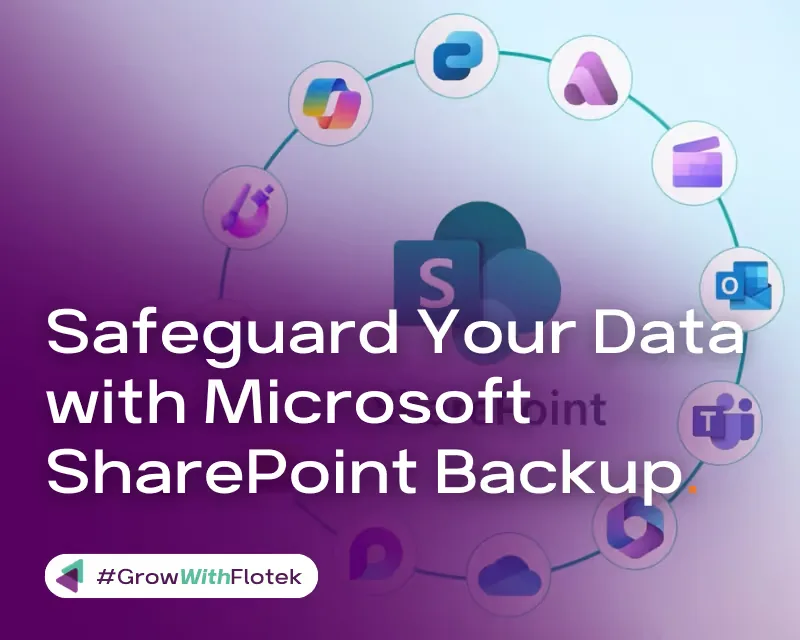
Safeguard Your Data with Microsoft SharePoint Backup
In today's digital age, data is at the heart of every business operation. Companies rely heavily on their data, including documents, files, and collaborative content, to make informed decisions, streamline workflows, and drive productivity. Microsoft SharePoint has emerged as a powerful platform for managing and sharing content, and its backup capabilities provide a crucial layer of protection for businesses. Unfortunately, numerous businesses overlook the importance of efficient data backup.
They may mistakenly believe that having your data in the cloud is enough, but this assumption is far from accurate. The truth is, information can be accidentally or maliciously deleted without your knowledge, leading to a myriad of problems for your business when you most need the data. When you upgrade your phone, it's only natural to expect a seamless transition of all your files, ensuring their protection from accidental deletion.
So, why should it be any different when it comes to your company's valuable data, which holds even greater significance than a mere phone? Flotek Group knows that SharePoint backup offers companies comprehensive data protection by creating backups of all critical information. This includes files, folders, document libraries, sites, and configurations.
By regularly backing up SharePoint data, businesses can safeguard against accidental deletion, data corruption, hardware failures, malicious attacks, or any unforeseen events that could result in data loss.
So what is Microsoft SharePoint?
Microsoft SharePoint is a web-based collaboration and content management platform. It provides organisations with a centralised and secure space for storing, organising, sharing, and accessing information from various sources. SharePoint offers a range of features and capabilities designed to improve team collaboration, document management, and workflow automation. Although SharePoint Online excels at document storage, many businesses primarily utilise it for this purpose, overlooking its numerous additional use cases that hold great potential. While SharePoint Online unquestionably provides exceptional document storage capabilities, it offers a wide range of functionalities that businesses should explore and leverage to maximize their benefits.
5 Features of share point Back up
Point-in-Time Recovery
This feature enables businesses to restore their data to a specific moment in the past, allowing them to roll back any unwanted changes or recover lost or deleted items. Whether it's a mistakenly deleted document or an accidental data overwrite, point-in-time recovery ensures that your SharePoint content is always recoverable.

Scalability and Flexibility
As your business grows, so does the volume of your SharePoint data. Flotek Group offers scalable backup solutions that can adapt to your evolving needs. Whether you have a small team or a large enterprise, their flexible backup services can accommodate your data growth, ensuring continuous protection without compromising performance or reliability.
Enhanced Disaster Recovery
By regularly backing up your SharePoint data, you can quickly recover and restore your content in the event of a disaster, minimising downtime and ensuring business continuity. Flotek Group understands the importance of disaster recovery and can provide tailored solutions to meet your specific needs.
Compliance and Legal Requirements
Many industries have stringent compliance and legal requirements governing data storage and protection. SharePoint backup solutions help businesses meet these obligations by securely storing data backups, ensuring its integrity and availability for audits or legal proceedings.
Data Security and Confidentiality
Flotek Group prioritises cyber security services and employs robust encryption protocols and secure storage mechanisms to safeguard your SharePoint backups. By leveraging advanced security measures, such as access controls, encryption at rest, and data segregation, your data remains protected from unauthorised access or breaches.
So what do you need to get started?
Microsoft SharePoint backup is an essential aspect of data management for businesses of all sizes. With features such as comprehensive data protection, point-in-time recovery, enhanced disaster recovery, compliance adherence, data security and scalability, SharePoint backup empowers companies to confidently manage and protect their valuable data. Flotek Group's expertise in IT support services and commitment to data security make them the ideal partner to ensure your SharePoint backups are secure and your business remains resilient in the face of any unforeseen challenges. Don't leave your data to chance, invest in SharePoint backup and enjoy the peace of mind it brings.
If your ready to get started with a Microsoft Sharepoint – contact our team here or call us on 02921 508000
Further reading: Microsoft Teams & SharePoint Integration Guide | Does Microsoft 365 Back Up My Data? | Why back up Microsoft 365
Does SharePoint back up my data?

Why back up SharePoint?
What should a SharePoint backup include?

Schedule a Free IT Audit & Cost Breakdown


Want it fixed and kept that way? From just £14 a month, we verify your domain and monitor it 24/7, so your email lands and nobody else can send as you.