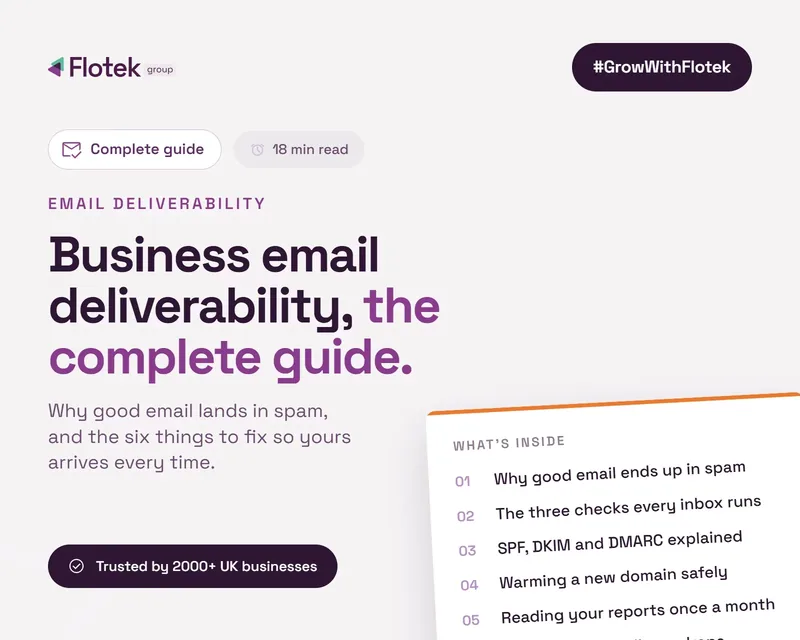
Business Email Deliverability: The Complete Guide


Email Deliverability Guide: SPF, DKIM, DMARC and Spam Filters Explained
Every business runs on email, yet almost nobody checks whether their email actually arrives. Quotes go unanswered, invoices get ‘lost’ and follow-ups sit unread, not because anyone ignored them but because they never reached the inbox. That is an email deliverability problem, and it is fixable.
This guide covers how deliverability works, why it has become harder in the last two years, and the exact steps to make sure your email lands where it should. It also links to our deeper guides on each part, so you can go as far into the detail as you like.
What email deliverability actually means
Deliverability is the difference between an email being sent and an email being seen. When you press send, the receiving mail server makes a judgement call: inbox, junk folder, or rejected entirely. That judgement is based on two things.
• Authentication. Can the receiving server prove the email genuinely came from your domain? This is handled by three DNS records: SPF, DKIM and DMARC. We explain each one in plain English in SPF, DKIM and DMARC Explained. New to it? Our guide answers what is DMARC and why it matters.
• Reputation. Does your domain have a history of sending mail people want? Spam complaints, bounces and bad list hygiene all drag this down.
Fail on either and your email starts quietly disappearing into junk folders. Nobody tells you when it happens. Not sure where you stand? Scan your domain and find out in 20 seconds whether your email is arriving.
Why this got harder in 2024 and hasn't eased since
In early 2024, Google and Yahoo started enforcing authentication requirements for anyone sending to their users, and Microsoft followed for Outlook.com. In practice, if your domain doesn't have valid SPF, DKIM and a DMARC policy, the big providers now treat your mail with suspicion by default. Businesses that never touched their DNS records have watched deliverability slide ever since, without any obvious cause.
The other driver is fraud. Criminals impersonate legitimate businesses by sending email that appears to come from their domain, a technique called spoofing. It is how most invoice fraud starts. DMARC exists to stop it, and we cover how in What is DMARC and Why Does Your Business Need It?
The three records that decide your fate
In one paragraph each:
• SPF lists the servers allowed to send email for your domain. Anyone else fails the check.
• DKIM adds a cryptographic signature to each email, proving it wasn't tampered with and really came from you.
• DMARC ties the two together, tells receiving servers what to do with mail that fails (let it through, quarantine it, or reject it) and sends you reports on who is sending as your domain.
Most businesses have a rough SPF record, patchy DKIM and no DMARC at all. Worse, a DMARC record set to "do nothing" (a p=none policy left in place forever) gives a false sense of security while spoofed mail keeps flowing.
The most common reasons business email goes to junk
Beyond missing authentication, the usual suspects are third-party tools sending as your domain without being authorised (CRM, invoicing software, marketing platforms), a stale SPF record that exceeds the 10-lookup limit, shared IP reputation problems, and content that trips filters. We break down each cause and its fix in Why Your Emails Go to Spam (and How to Fix It).
Fixing it: the practical order
Done properly, this is a project with a clear sequence, realistically 6 to 8 weeks from first audit to full enforcement, not a one-off DNS change.
1. Audit what sends as your domain. Most businesses find five to ten services they'd forgotten about.
2. Fix SPF and enable DKIM for every legitimate sender. On Microsoft 365 this is straightforward once you know where to look. Follow our step-by-step DMARC setup guide for Microsoft 365.
3. Publish DMARC at p=none and read the reports. This is monitoring mode. The reports (sent as XML, unreadable without tooling) show you every source sending as your domain.
4. Move to quarantine, then reject. Once every legitimate sender passes, you tighten the policy so spoofed mail gets binned. This is full enforcement, and it is the point of the whole exercise, but it is not the end of the work.
Step 3 is where most DIY attempts stall. The reports keep coming, nobody reads them, and the policy never moves past none.
Keeping it healthy
Deliverability isn't set and forget. New tools get added, suppliers change sending infrastructure, and records drift. A healthy setup gets its reports checked regularly, its senders reviewed, and its policy held at enforcement, indefinitely. Skip that and a sender nobody re-checks can start failing quietly, and at full enforcement that means its mail to your customers is refused outright, not junked, often before anyone notices deliveries have stopped. Pair it with good email hygiene (sensible sending volumes, clean lists, and staff who can spot phishing, covered in our email security guide) and your mail arrives.
If you'd rather not do any of this yourself
Flo Verified Mail is our fully managed version of everything above. We audit your senders, set up SPF, DKIM and DMARC, check the reports every day and take your domain all the way to full enforcement, then keep it there. You get email that arrives and a domain nobody else can send as. Start with a free 20-second domain scan, and if your emails are going missing or you've had a near miss with invoice fraud, talk to us.

Schedule a Free IT Audit & Cost Breakdown


Want it fixed and kept that way? From just £14 a month, we verify your domain and monitor it 24/7, so your email lands and nobody else can send as you.